

consent_id to the product’s query
endpoint. In this guide you’ll query a consolidated KYC certificate for a
consumer.
Prerequisites
Before you start, you need:
- Network membership with the querier role — arranged with your SOLO account manager (see Joining a network).
- A bearer token (SDK token) exported as
SOLO_TOKEN. See Authentication. - Your
network_id. Optionally, thepolicy_idof a querying policy — if you omit it, each network’s default policy applies.
Consent, check, query
1
Create or reuse a consent record
If you already hold a valid Keep the
consent_id for this consumer — for example
from Furnishing your first entity —
reuse it and skip to the next step. Otherwise, create one:Response
consent_id — it identifies the consumer on every query while
the consent remains valid. You can confirm it later with
GET /v1/consent/consumer_identity/{consent_id}?network_id=....2
Optional: pre-flight coverage check
A query is a billable event. If you want to know whether the network holds
enough data before you commit, run the non-billable coverage soft check.
It reports per-furnisher field coverage for a product without producing a
certificate:Any furnisher with
Response
complete: true can satisfy the product’s data
requirements for this consumer. See
Coverage check for the full
semantics.3
Query the KYC certificate
Pass the To restrict the query to specific furnishers, add the optional
consent_id and your network scope to the product’s query
endpoint. network_ids takes one or more networks; the single optional
policy_id is applied across every network in the list, pairing each
network with that policy (omit it to use each network’s default policy):Response
furnishing_entity_ids list; when omitted, data from all furnishers is
considered.200 vs 204, and the X-Ref-Id header
A query has two healthy outcomes:200 OK— the available data satisfied the policy’s requirements and a certificate was created. The body is the consolidated result above.204 No Content— the query ran, but no certificate could be created: the data available to you didn’t satisfy the policy requirements. The body is empty.
X-Ref-Id response header — the UUID of the
recorded provenance event. On a 200 it equals the body’s provenance_event_id; on a
204 it’s the only identifier you get, so log it. Quote the X-Ref-Id when
raising an issue with SOLO, and use it to reconcile query activity.
A
204 is not an error and not necessarily “the network has nothing.” It
means the fields you can read — bounded by
entitlement and the querying
policy — were insufficient to
assemble a complete certificate. The coverage check in step 2 is the cheap
way to predict this.Inspect the result
A sub-product is
null when no furnisher’s data satisfied it — which is
expected, not a failure, as long as the policy doesn’t require it. If a field
you expected is missing, it’s usually because you haven’t earned entitlement
to it (you’ve neither furnished nor previously queried it) or the policy
doesn’t expose it in this network.
Maintaining the consent
Reuse oneconsent_id for every query of the same consumer while the consent
is valid. Its identity fields are immutable, but you can adjust scope,
expires_at, and consented_fields as your agreement with the consumer
evolves:
network_id must match the network the consent was created in. To consent
with different identity data, create a new record instead.
Troubleshooting
401 — token expired or invalid
401 — token expired or invalid
SOLO_TOKEN
with a fresh token from your SOLO account manager. See
Authentication.400 — consent not gathered
400 — consent not gathered
did_gather_consent_from_consumer_prior is false. Gather the consumer’s
permission first, then retry with true.404 — consent or consumer not resolvable
404 — consent or consumer not resolvable
GET /v1/consent/consumer_identity/{consent_id} using a network_id other than
the one it was created in (consents are network-scoped), or your query’s
consent_id doesn’t resolve to a known consumer. Verify the consent_id
and use the originating network_id.422 — missing required field
422 — missing required field
network_ids (with at least one entry) is required on every query, and
consent_id identifies the subject. A 422 carries a single detail
string in location -> field: message form pointing at the first invalid
input.204 — query ran but no certificate
204 — query ran but no certificate
Empty body, status
204, with an X-Ref-Id header identifying the query
event. The data you’re entitled to read didn’t satisfy the policy. Run the
coverage check to see which furnishers
and fields fall short, or revisit which networks and policy_id you’re
querying with.Next steps
In the dashboard
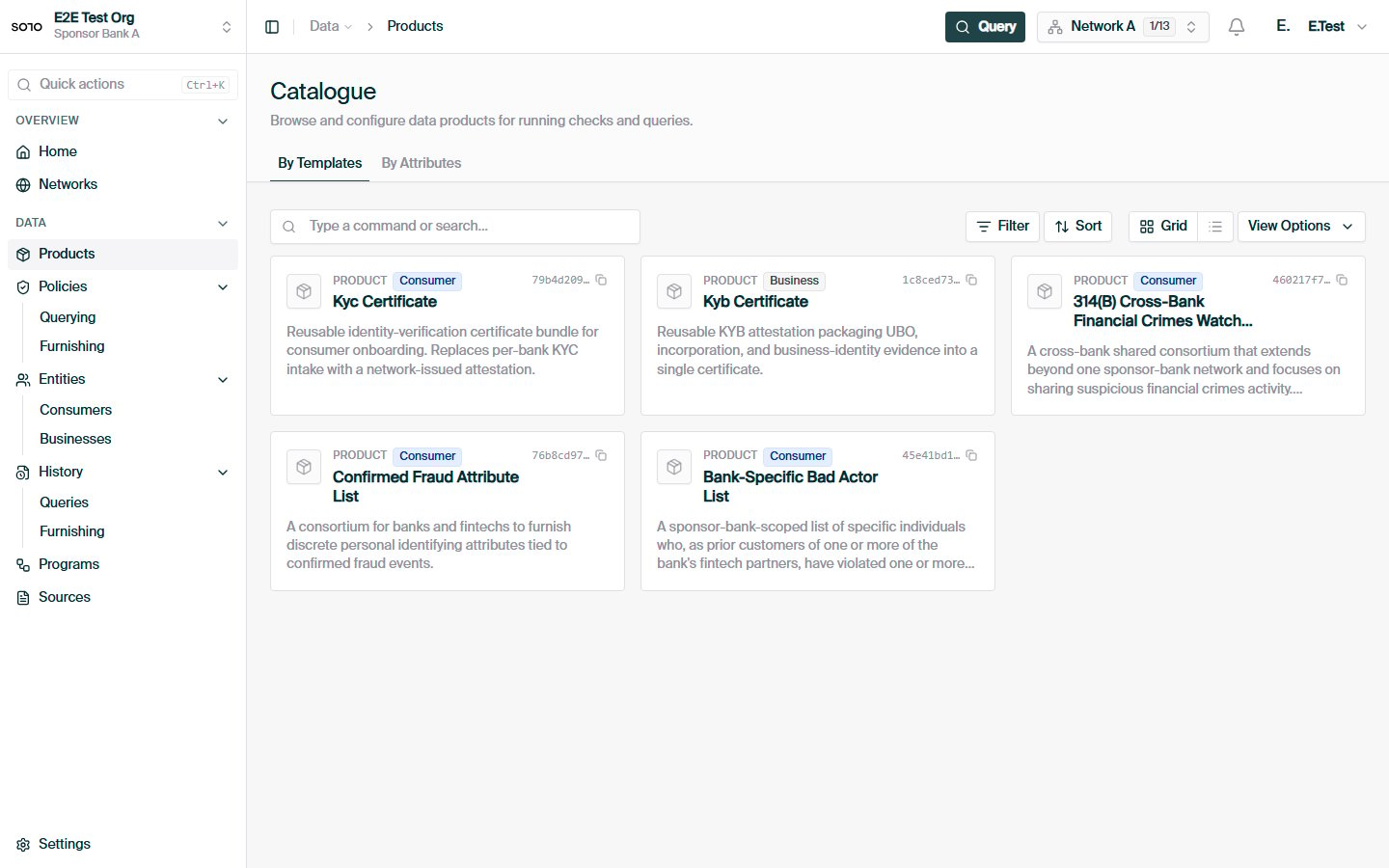
Products catalogue — By Templates
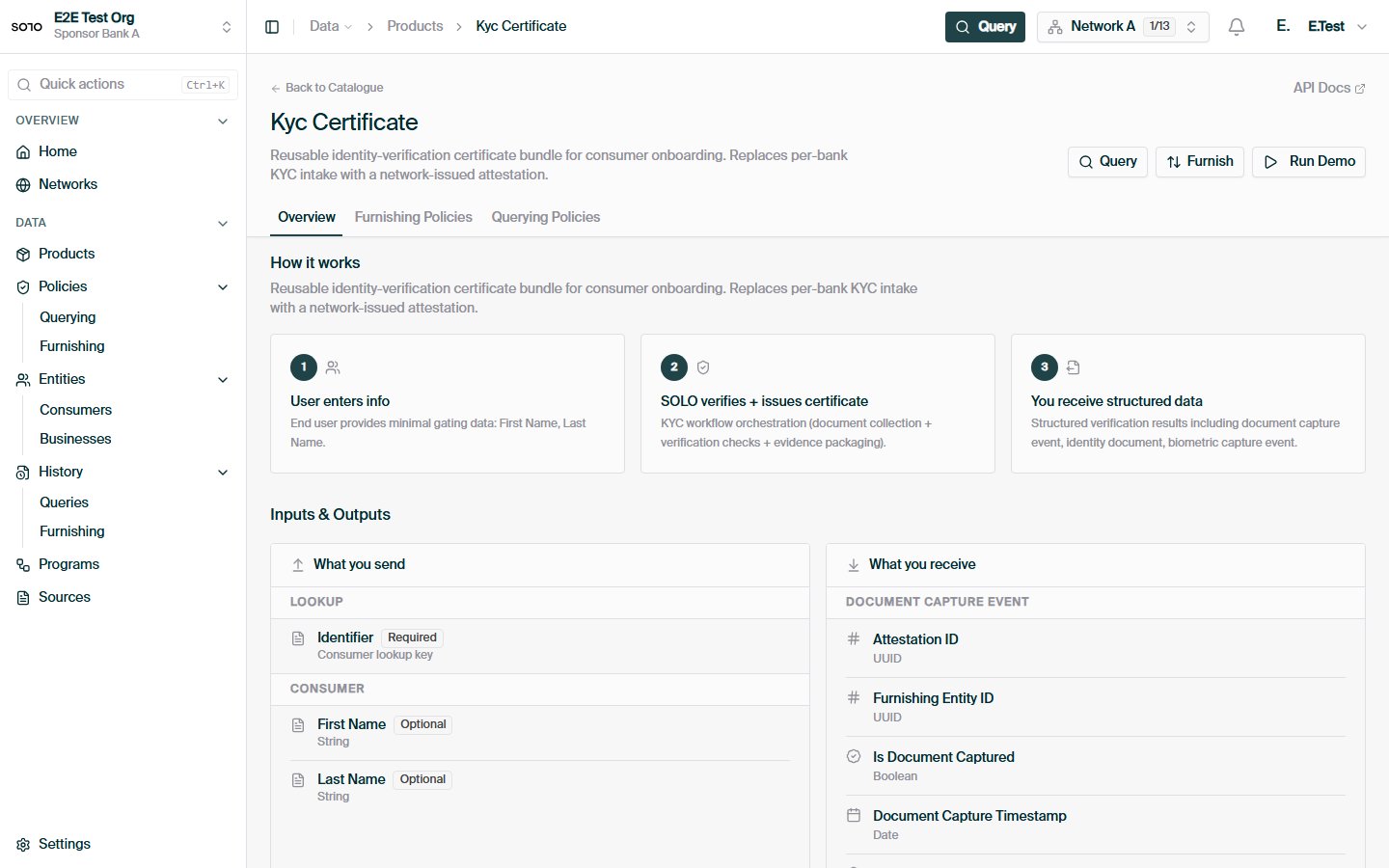
KYC product detail — overview tab
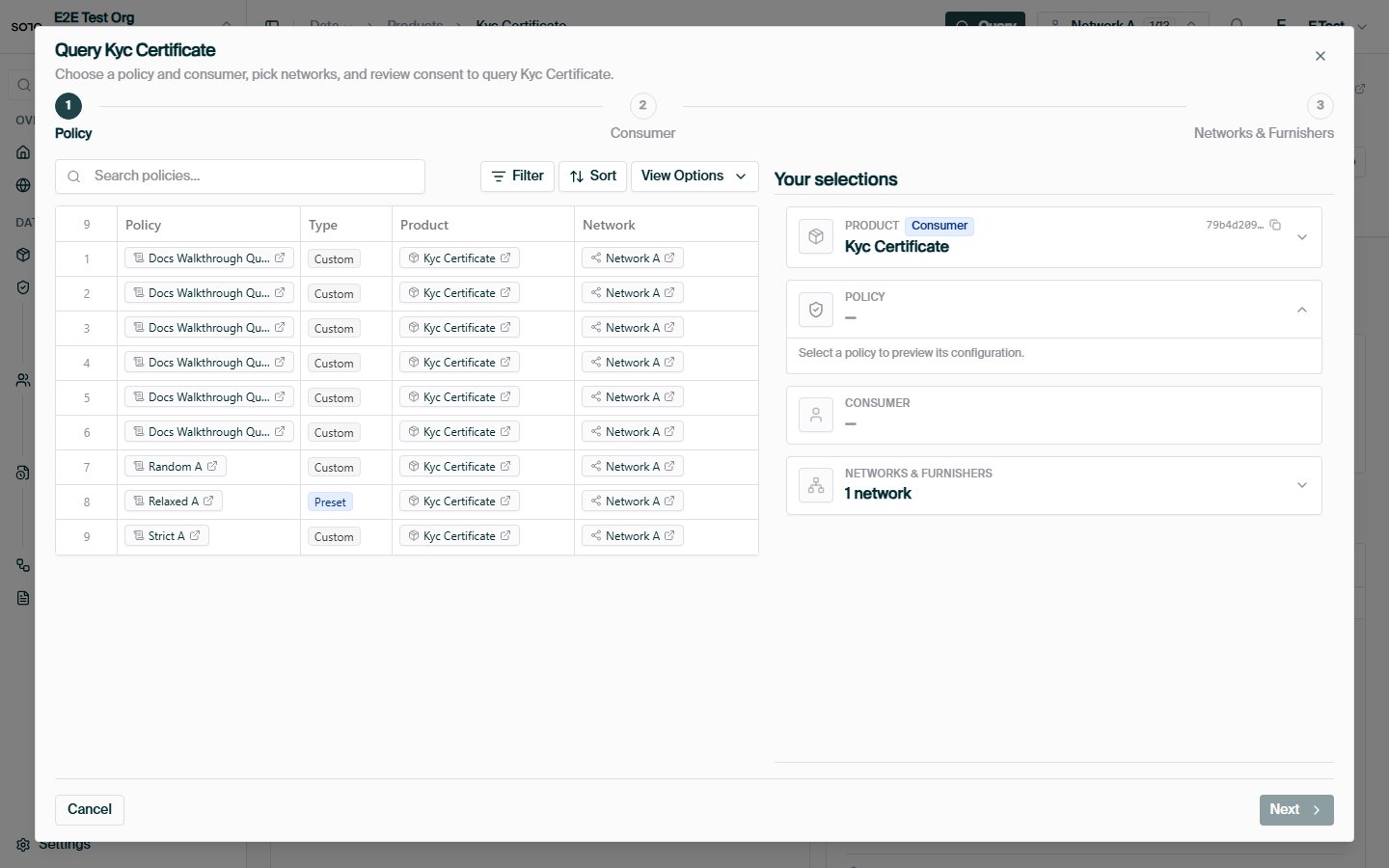
Run query opened from product detail
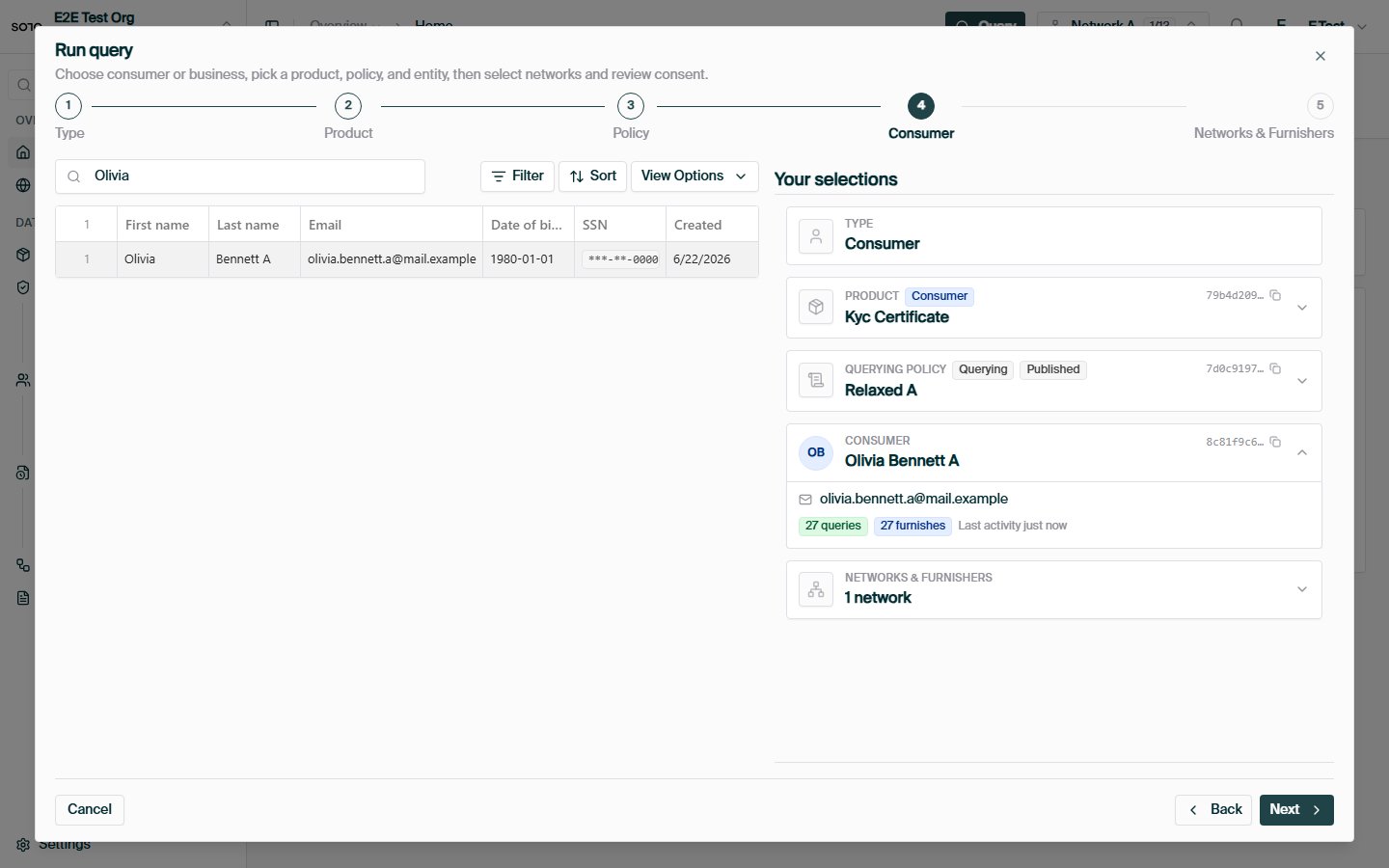
Run query — choose entity
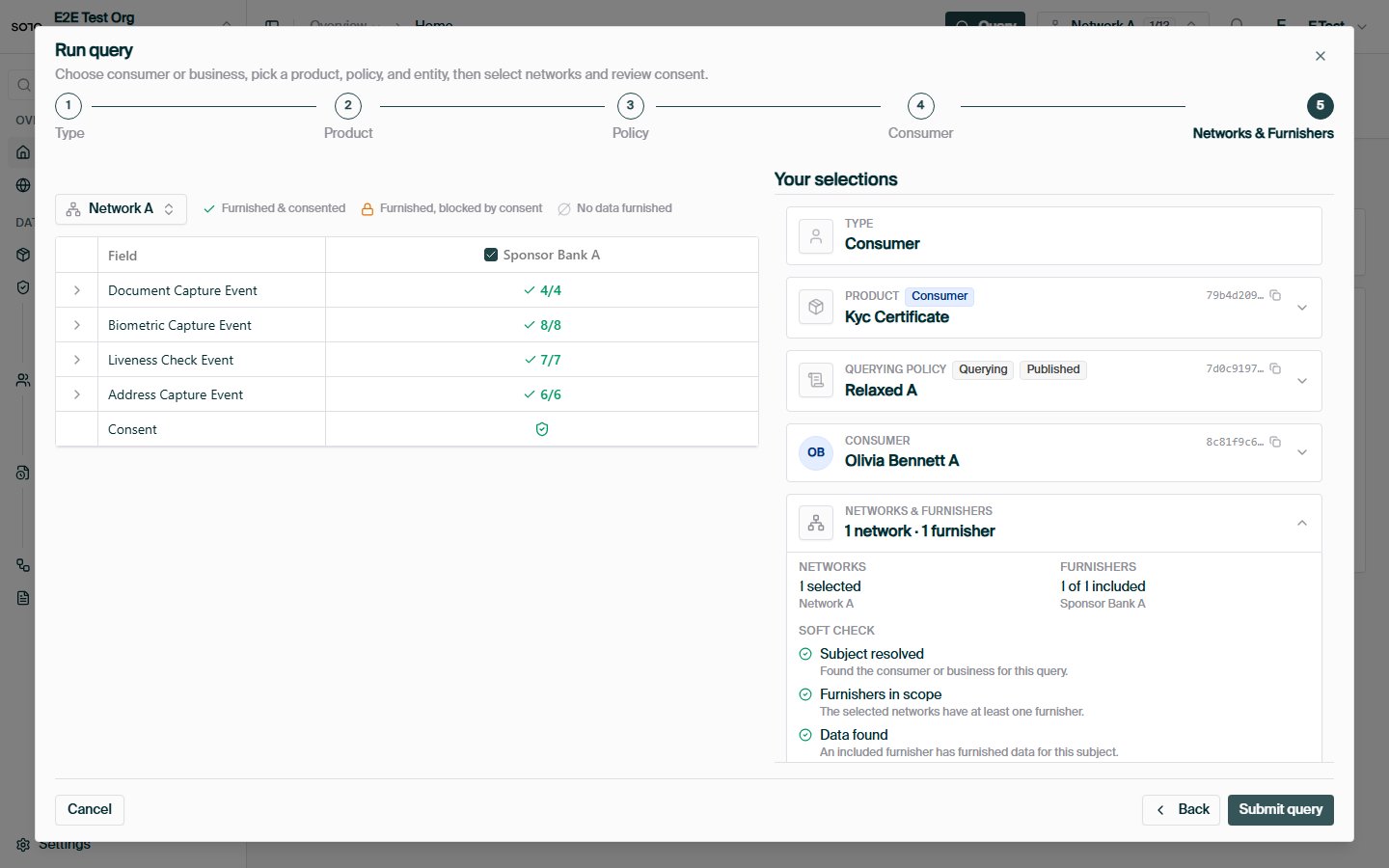
Run query — networks and consent matrix
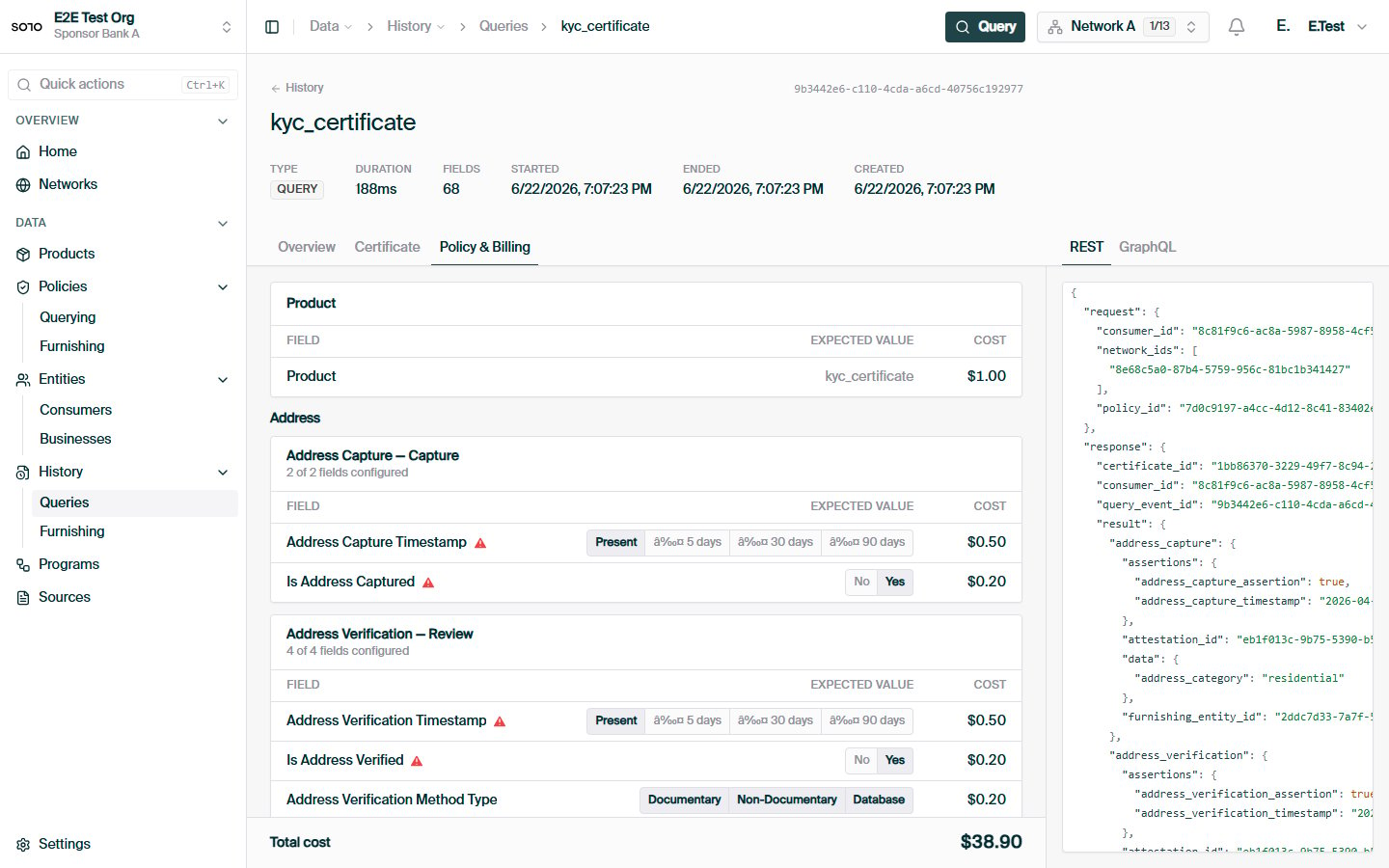
Query completed — run detail overview
How querying works
Network + policy + product + consumer, end to end.
Why consent is needed
The permission layer behind every query.
Coverage check
The non-billable soft check in depth.
Products
KYB certificates, screening lists, and the rest of the catalog.