

Consumers
Individual people, identified by personal details such as name, date of birth, email, phone, and SSN.
Businesses
Legal entities, identified by details such as legal name, jurisdiction of formation, registration number, and tax identifier.
How entities come into existence
You never call a “create entity” endpoint. Profiles materialize as a side effect of normal participation:1
Furnishing data
When you furnish through a product endpoint
(for example
POST /v1/products/kyc_certificate_snapshot/furnish), the identity in
your payload is resolved to an existing profile or a new one is created.2
Creating consent
When you create a consent record with
POST /v1/consent/consumer_identity, the identity payload is used to create and link
a consumer profile if you don’t point at an existing one.3
Linking an existing profile
Consent creation accepts an optional
consumer_identity_id. If you’ve already found
the subject via search, pass its id and the consent links to that profile
instead of creating a new one.Consumers
A consumer represents a single individual, identified by:Businesses
A business represents a legal entity, identified by:Searching for entities
Before furnishing or querying, look up subjects that already exist with the search endpoints:GET /v1/entities/consumer_identity/searchGET /v1/entities/business_identity/search
network_idis required. Search is always scoped to a single network; you cannot search across networks in one call.- All identity parameters are optional and combine with AND — every criterion you supply must match.
limitcaps results between 1 and 100, defaulting to 20.
Match semantics
Each search parameter has a fixed matching rule:
Partial matching means
first_name=jan matches both “Jan” and “Janet”;
exact-match fields like SSN and EIN must be supplied in full.
Searching consumers
200 OK returns an array of matching profiles:
Searching businesses
Search returns core identity fields only — enough to confirm you have the
right subject. It is not a data product: credit and verification data come
back through product queries, gated by consent and
entitlement.
From search to consent: find or create
The search endpoints exist primarily to support a find-or-create workflow before consenting and querying a consumer:1
Search first
Call
GET /v1/entities/consumer_identity/search with the strongest identifiers you
hold (SSN and date of birth where possible).2
Found a match? Link it
Pass the result’s
id as consumer_identity_id when calling
POST /v1/consent/consumer_identity. The consent attaches to the existing profile,
keeping the subject’s history consolidated.3
No match? Let consent create the profile
Omit
consumer_identity_id. The identity payload on the consent request creates and
links a fresh consumer profile.4
Query with the consent_id
Use the returned
consent_id on product queries for
that subject.Provenance: one entity, many furnishers
An entity profile is a shared subject, not a record you own. In a healthy network, several participants typically furnish data about the same consumer or business — one bank contributes identity verification outcomes, another contributes fraud events, a third contributes business registration details. All of it accrues to the same profile. Two consequences follow:- You don’t control the whole profile. Your furnished fields sit alongside fields contributed by other participants. Updating your own contribution never overwrites theirs.
- What you can read is governed, not automatic. Sharing a profile with another furnisher does not mean you see their data. A query returns the intersection of what the network’s querying policy exposes and what you are entitled to — entitlement you earn by furnishing or previously querying that entity.
Identifying an entity tells the network who you mean. Consent and entitlement
determine what you may read about them. The same search result can yield
very different query responses for two different participants.
Network scoping
Entities are always handled in the context of a network:- Search requires a
network_idand only surfaces subjects visible to you in that network. - Consent records are created against a
network_id, and the same subject needs separate consent per network. - Furnishes and queries run under a network’s policies.
Common questions
My search returned an empty array — what does that mean?
My search returned an empty array — what does that mean?
No profile visible to you in that network matched all of your criteria.
Remember that criteria combine with AND:
first_name=Jane plus
last_name=Smith only matches profiles satisfying both. Try fewer or
looser criteria, or double-check exact-match fields (social_security_number,
date_of_birth, federal_ein) for typos — partial input never matches an
exact-match field.What if I get multiple matches?
What if I get multiple matches?
Partial matching on names and emails can surface several candidates.
Disambiguate with the exact-match identifiers — SSN or date of birth for
consumers, federal EIN for businesses — before linking a profile to a
consent record. When in doubt, omit
consumer_identity_id and let consent creation
work from the identity payload you trust.Can I list entities without any criteria?
Can I list entities without any criteria?
Yes. All identity parameters are optional, so a request with only
network_id returns profiles up to limit (default 20, max 100). This is
useful for an initial look at a network, but for production matching always
pass the strongest identifiers you hold.In the dashboard
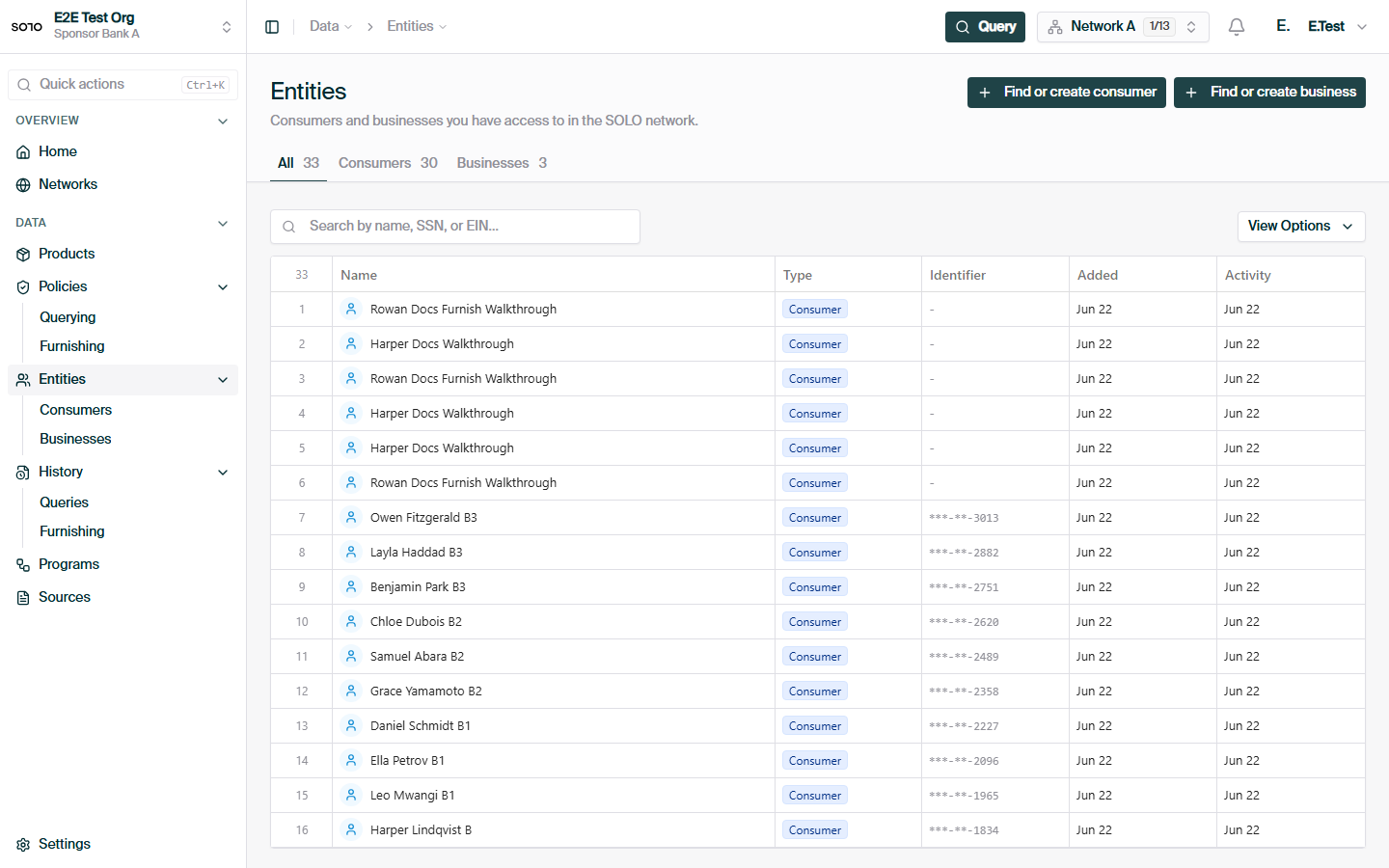
Entities hub — All tab
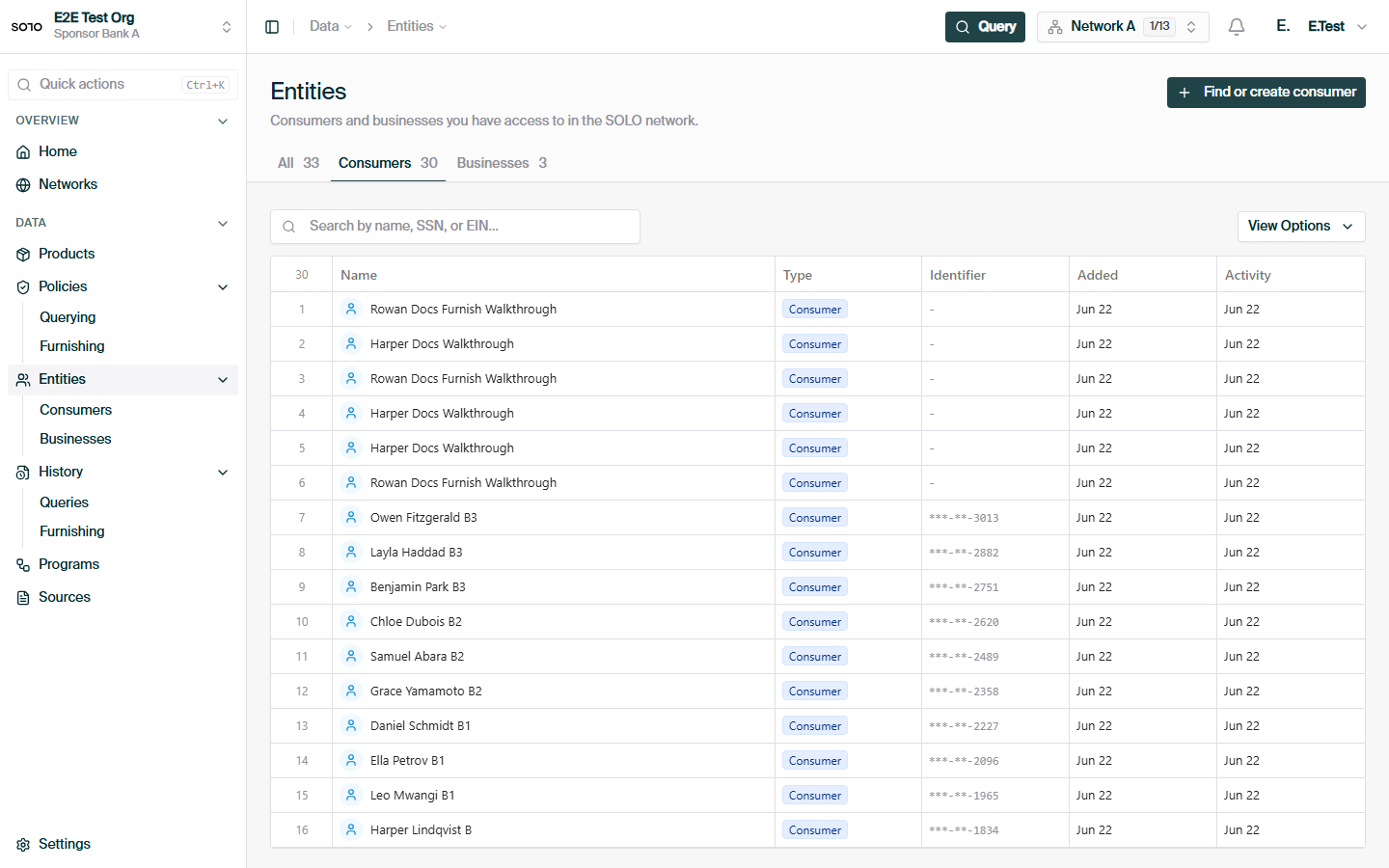
Entities hub — Consumers tab
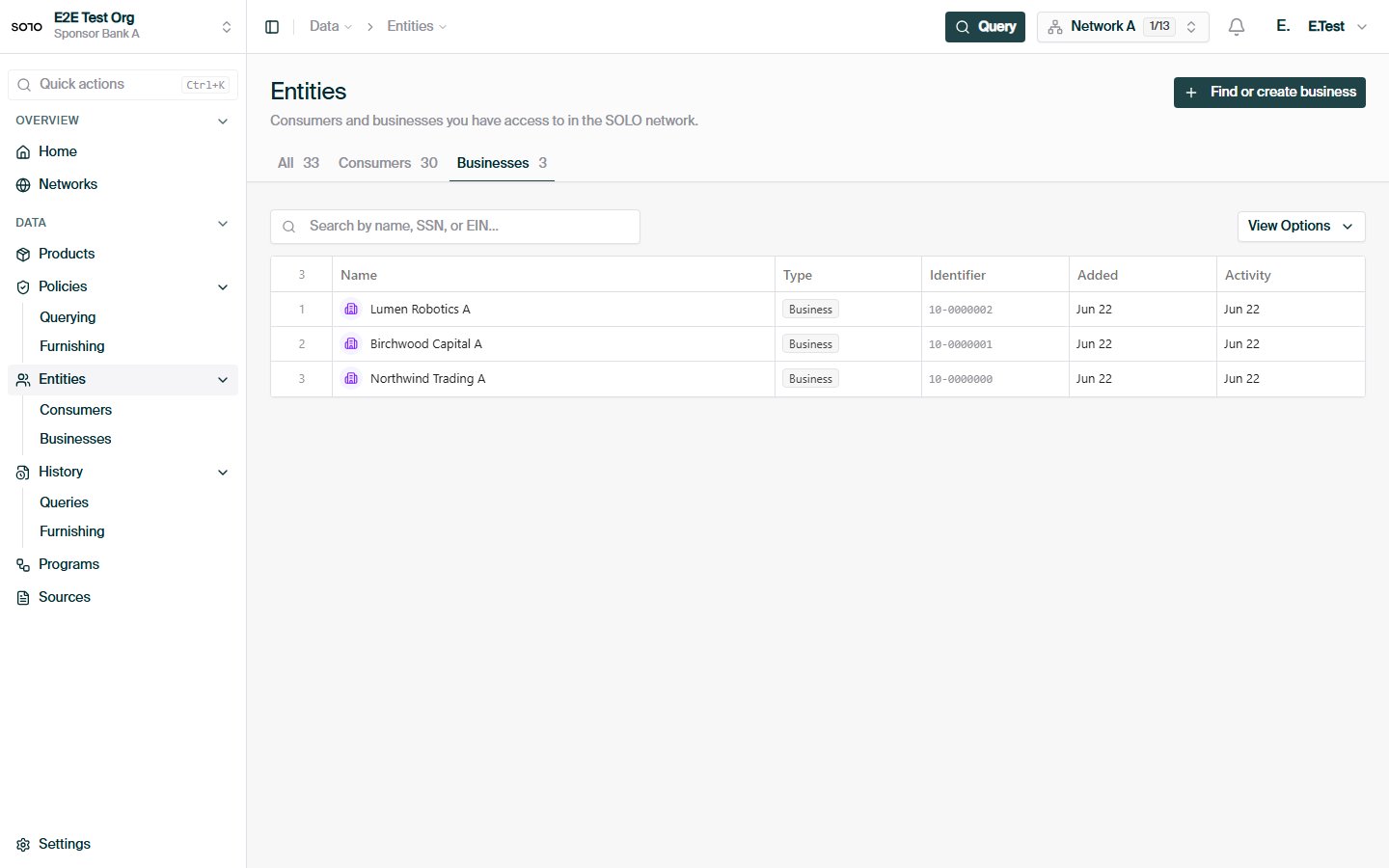
Entities hub — Businesses tab
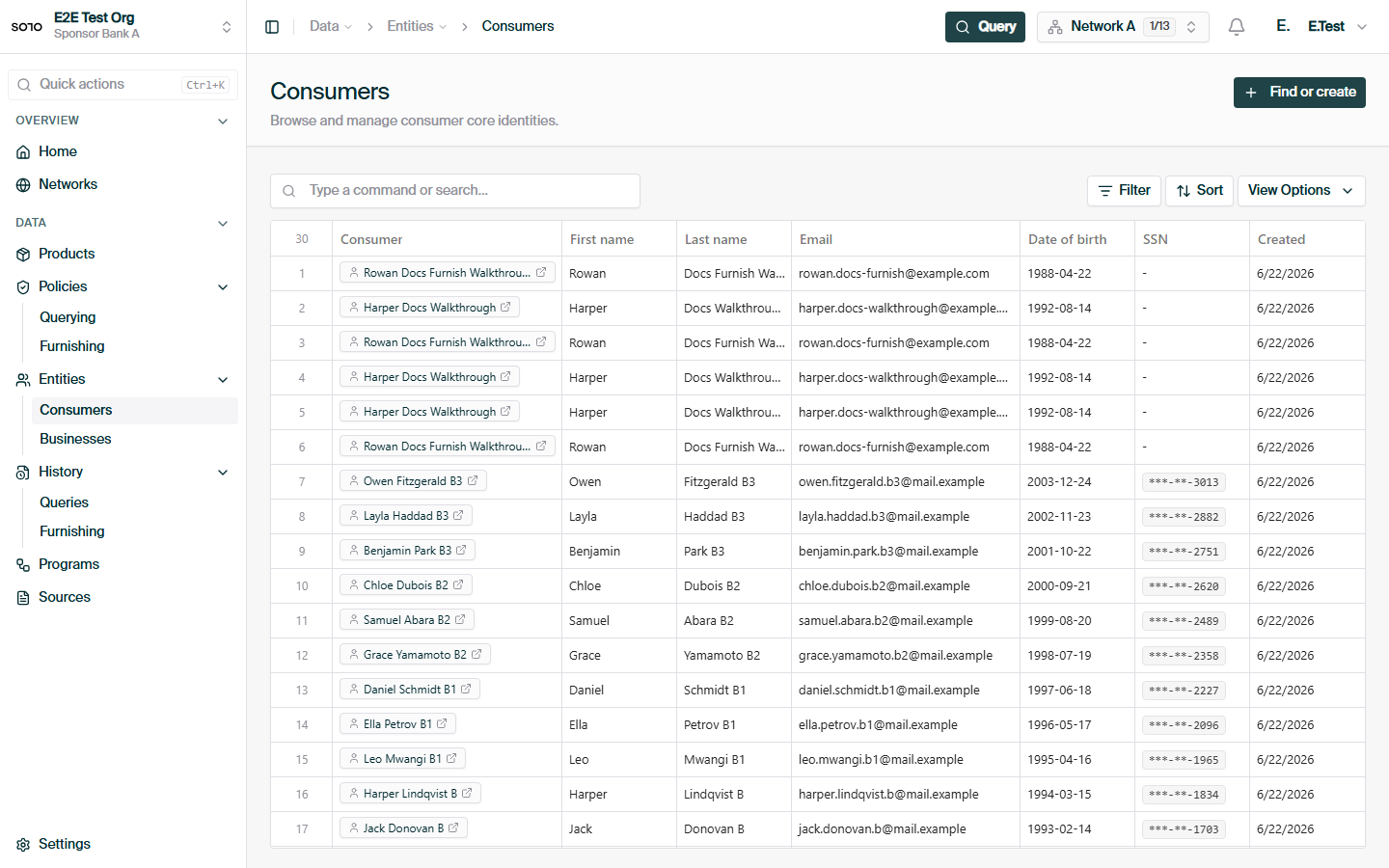
Consumers list
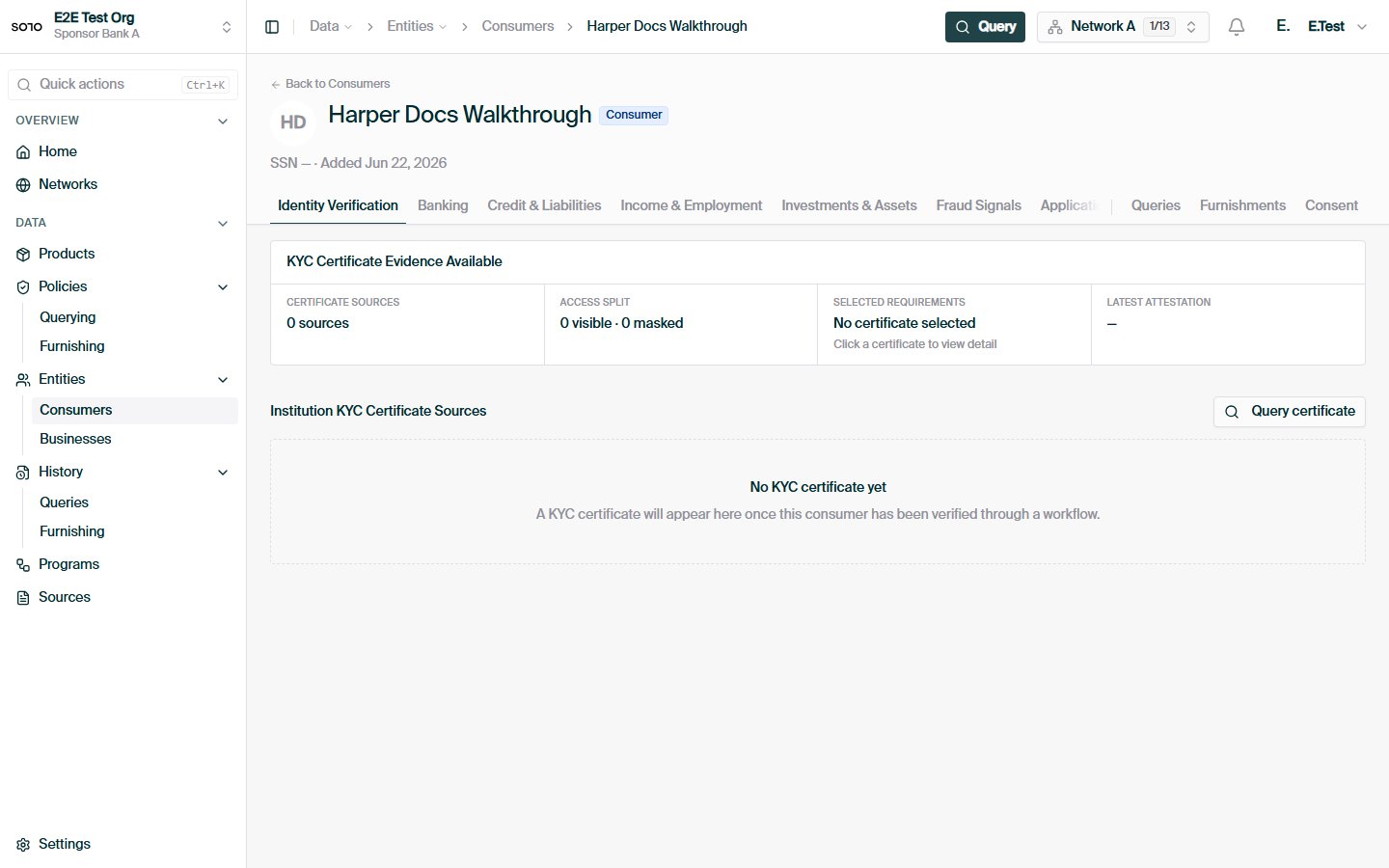
Consumer consent created — profile detail
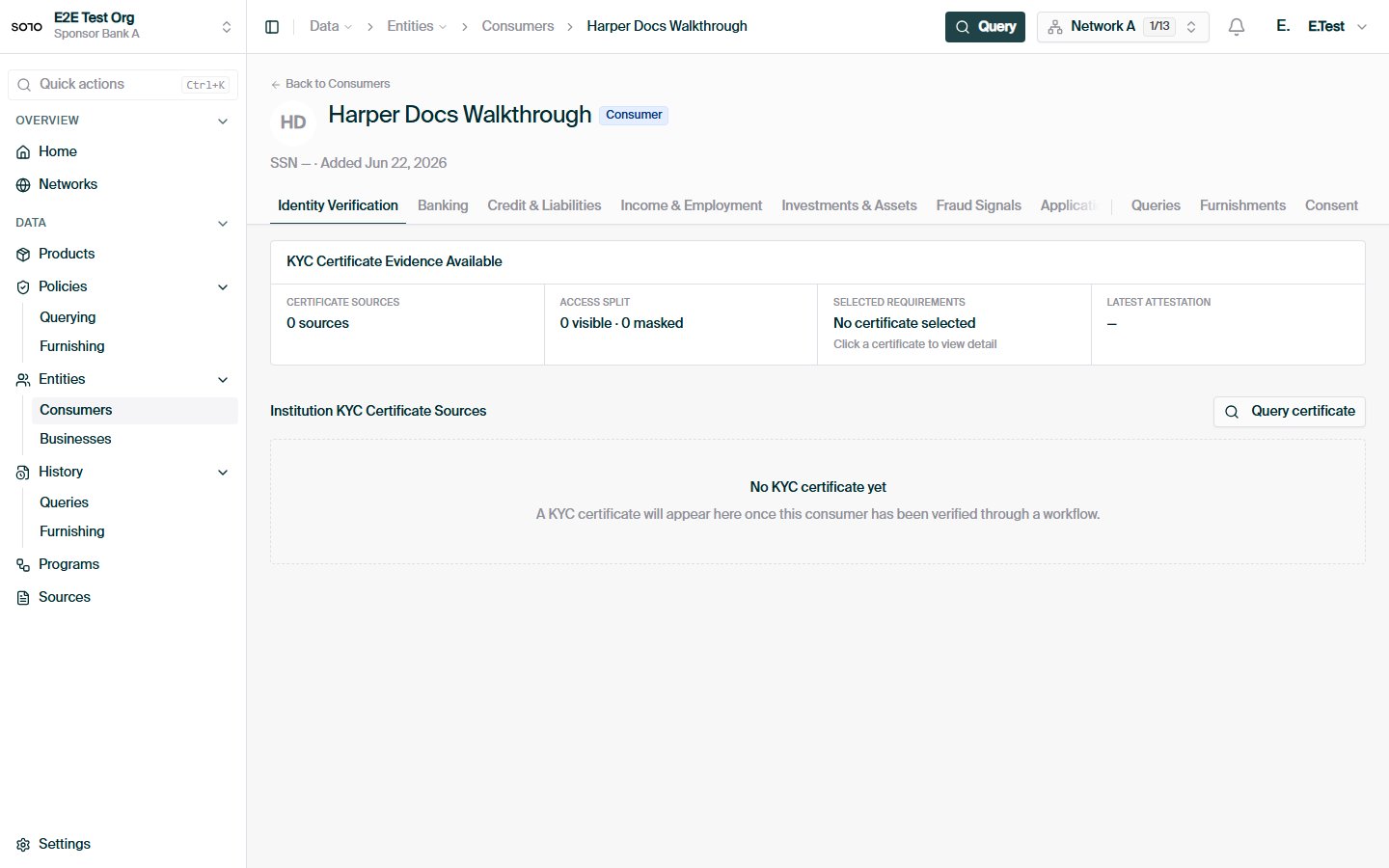
Consumer — identity verification tab
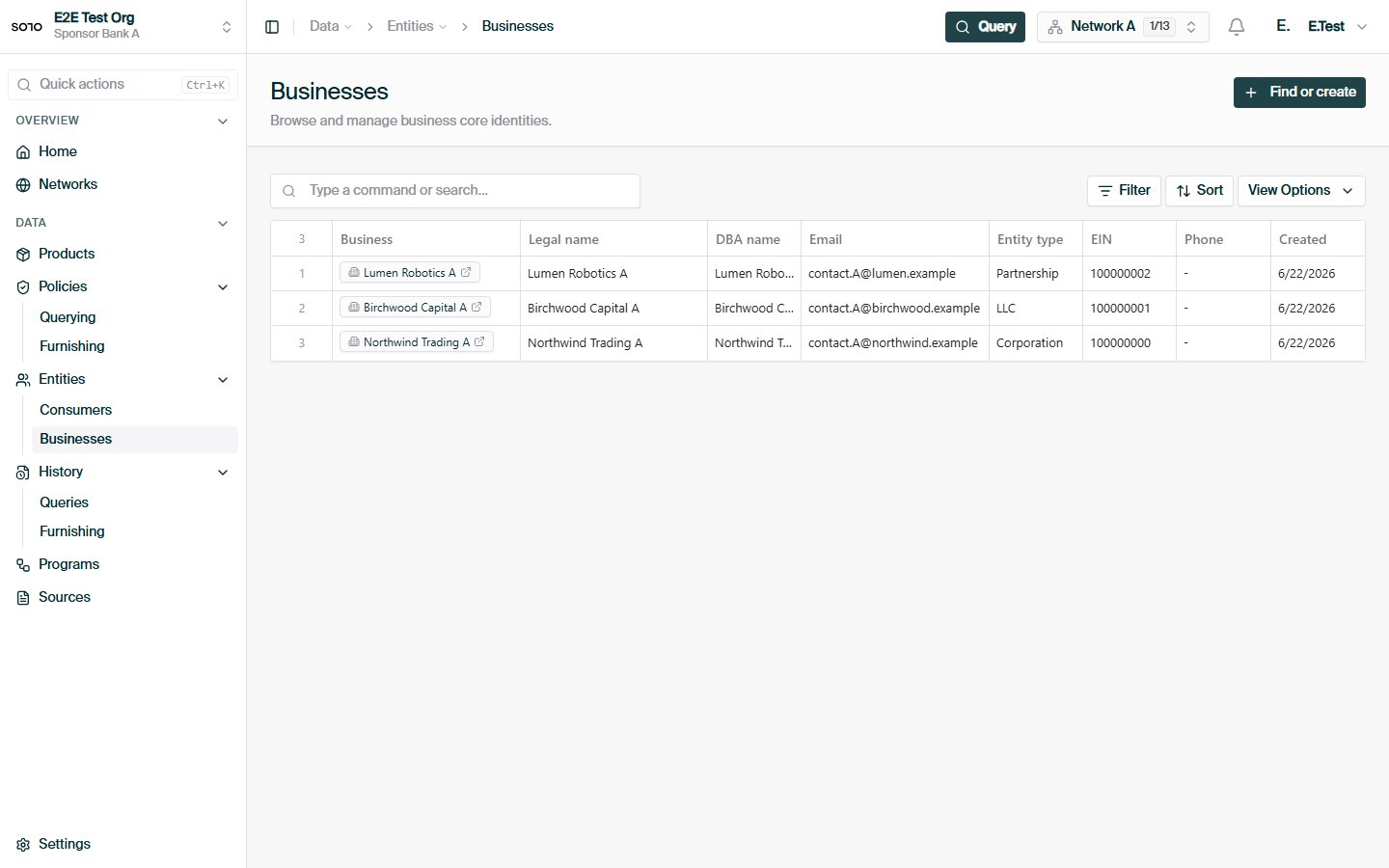
Businesses list
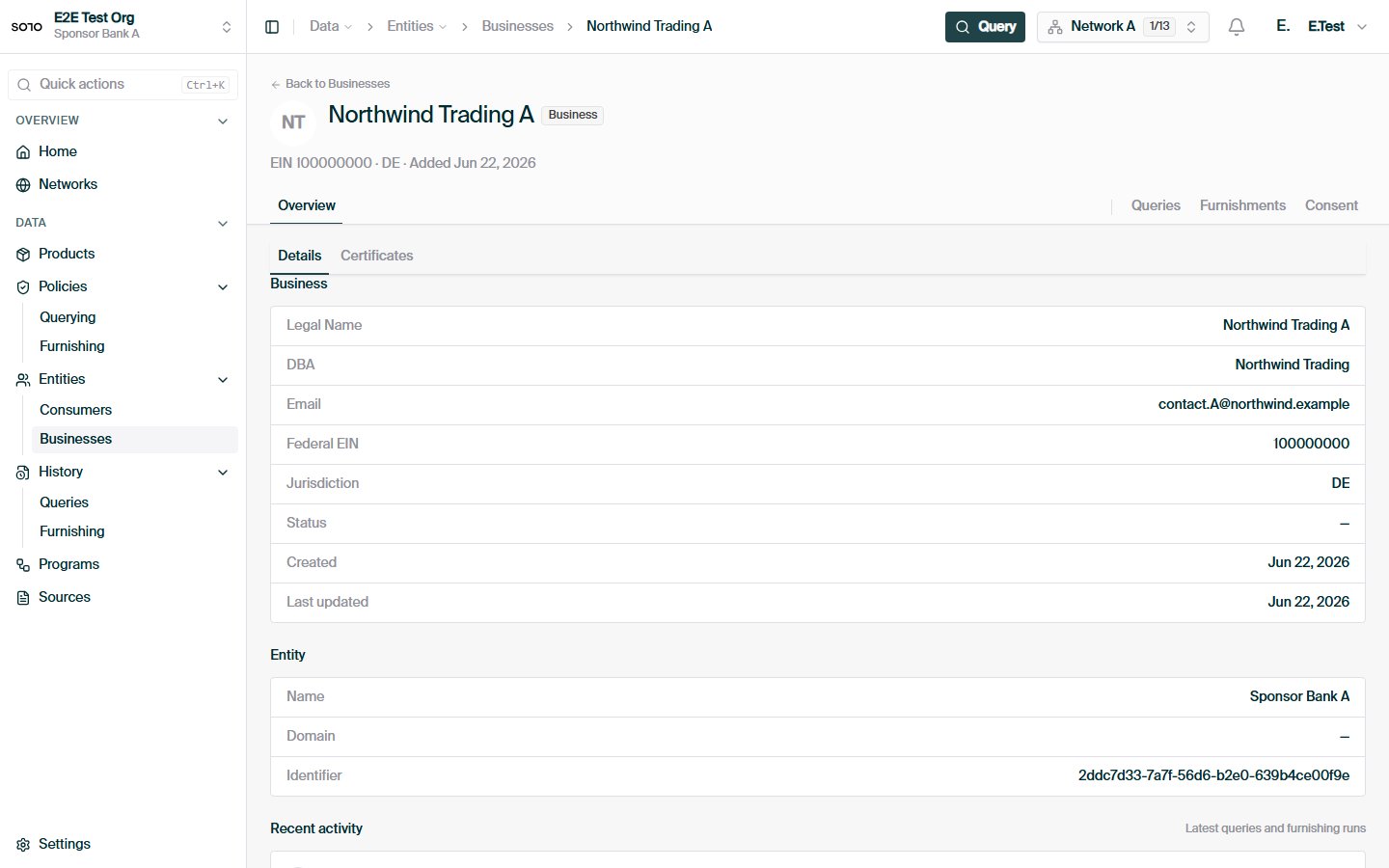
Business profile — overview
Related concepts
Consent
How to record permission to query a consumer or business.
Entitlement
Why you can read a given field about an entity.
Furnishing
How contributing data creates and enriches entities.
Querying
How consolidated entity data is read back.