

Why consume network data
You query to reuse work, not to “buy data.” A query returns a trust asset, an attested verification with its provenance intact:- Faster onboarding. Reuse a KYC or KYB certificate instead of repeating document collection and review.
- Less manual review. Start from another institution’s evidenced verification rather than from zero.
- Do only the missing work. The non-billable soft check and coverage check show what already exists, so you collect only what’s absent.
How querying works
Anatomy of a query
Every product query is aPOST to the product’s /query endpoint. The request
body has two halves: who the query is about, and where and under which
rules to read.
¹ Provide exactly one: a
consent_id or a direct profile id. Sending both,
or neither, returns 400 VALIDATION_ERROR.
Why both halves matter:
- The subject half identifies who the query is about. With
consent_id, the consent record documents the subject’s permission and resolves their identity, so you never resend personal details on each call. - The scope half (
network_idsandpolicy_id) tells the network where to read and which filters to apply. The same product can return different results under different policies.
Each issued certificate records the networks and the policy it was resolved
under, so the scope you pass is part of the audit trail.
Full example
200 OK with the consolidated result and an
X-Ref-Id response header. Abridged here to one sub-product; a 200 always
carries every sub-product (see the
full KYC example):
result is product-specific. See the per-product pages for the
KYC certificate,
KYB certificate, and
screening lists.
result.meta records how the result was resolved: the anchor network_id and
the policy_id that was applied (explicit or assigned; null when catalog
defaults applied).
200 vs 204
Certificate query endpoints distinguish two successful outcomes:204 is not an error. It means the network looked, applied the policy, and
found the furnished data falls short. For example, a required sub-product was
never furnished, or the data is older than the policy’s freshness window
allows. Treat 204 as “queried, nothing to show.”
Screening lists never return 204; a clean result is 200 with
"is_listed": false.
A
204 response still carries the X-Ref-Id header, because the query
itself was resolved and recorded. To avoid paying for predictable 204s, run
the non-billable soft check
(POST /v1/products/{kyc,kyb}_certificate_snapshot/query/soft) first.The X-Ref-Id header
Every product query response, 200 and 204 alike, includes an X-Ref-Id
response header. Its value is the query event id: the durable identifier of
this query in the network’s audit trail. On 200 responses the same value also
appears in the body as provenance_event_id.
- Quote it to support. It lets SOLO trace the exact request, the policy applied, and the data considered.
- Store it in your own audit log. It ties your internal decision record to the network’s record of the same event.
- Reconcile billing. Each billable query corresponds to one query event id.
What you get back
A product query reads data furnished to the networks you list innetwork_ids (narrowed by furnishing_entity_ids if you pass it) and, for
certificates, filtered by the applied querying policy. Issuing a certificate
also records entitlement links for the
records it used.
Billing
- Every call to a product’s
/queryendpoint that resolves is recorded as a query event and is billable. For certificates this includes204responses; for screening lists it includes"is_listed": falseresults. - The certificate soft check (
POST /v1/products/{kyc,kyb}_certificate_snapshot/query/soft) and the coverage check (POST /v1/products/check) are not billable and record no query event. - Pricing is not covered in this documentation.
Multi-network queries
network_ids accepts more than one network, letting a single call read across
several networks you belong to:
- One policy applies to every network listed: the
policy_idyou pass, or, if omitted, the policy assigned to the first network innetwork_ids. - Data is gathered from all listed networks; for each sub-product the query selects the oldest matching record from any listed network.
- The result’s
meta.network_idis anchored to the first network innetwork_ids; list your primary network first. - You must be a member of every network listed. A network you can’t access fails the request rather than being silently skipped.
How consent ties in
Every query identifies its subject with aconsent_id or a direct profile id.
1
Gather permission and record consent
Create a consent record for the subject in a network and receive a
consent_id. See Consent.2
Reference the consent on each query
Pass the
consent_id in the query body, with the consent’s network among
the network_ids. The network resolves it to the subject.3
Reuse it
The same
consent_id can be used for repeated queries of that subject until
the consent expires.- it can’t be resolved:
404 RESOURCE_NOT_FOUND; - it was created in a network that isn’t in
network_ids:404 RESOURCE_NOT_FOUND; - it has expired:
403 PERMISSION_DENIED.
Consent vs direct profile queries
Product query endpoints accept two identity-resolution paths:consent_id: the standard path. The consent record both identifies the subject and documents their permission. Use this for any flow where the subject interacts with you (onboarding, re-verification).consumer_identity_id/business_identity_id: a direct reference to a profile, for cases where your authority to query the subject was established outside SOLO’s consent flow. You are responsible for having that authority. If the profile doesn’t exist or isn’t visible to you in the queried networks, the query returns404.
consent_id.
Query failure modes
Domain errors use the standard envelope ({"detail": "…", "error_code": "…", "request_id": "…"}) described in
Errors.
204 No Content is not in this table: it’s a success status meaning the
policy’s requirements were not met by the furnished data.
Integration checklist
- Record consent once, reuse it for repeated queries of the same subject until it expires.
- Soft-check before certificate queries when a
204would hurt your UX or your budget. It’s free and takes the same body as the query. - Handle
204as a first-class outcome, not an error: branch your flow on “no certificate” rather than retrying. - Persist
provenance_event_id/X-Ref-Idalongside your own decision records for audit, support, and billing reconciliation.
The network control plane
Reuse is governed by separate controls, each defined in its own place:In the dashboard
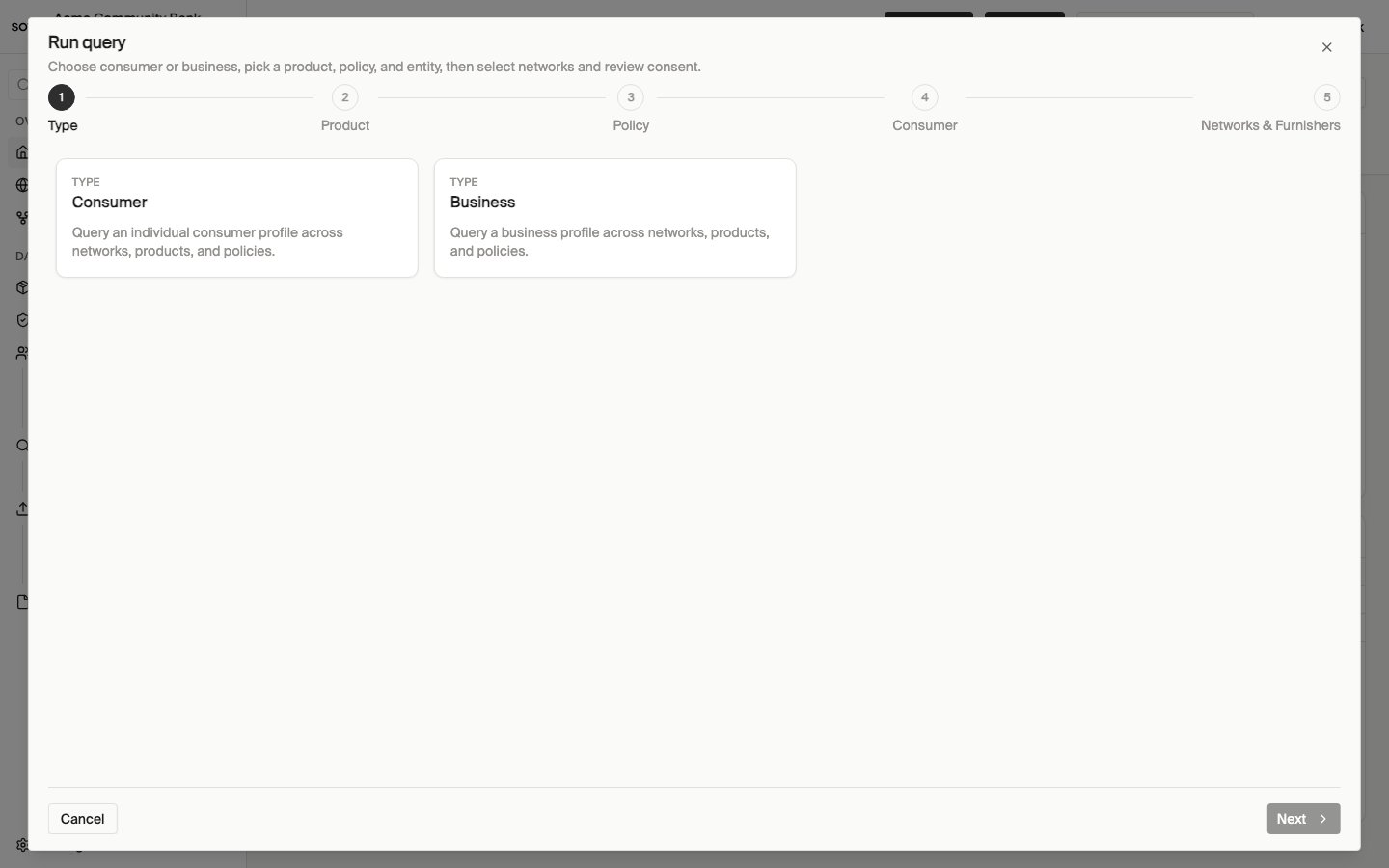
Run query — choose consumer or business
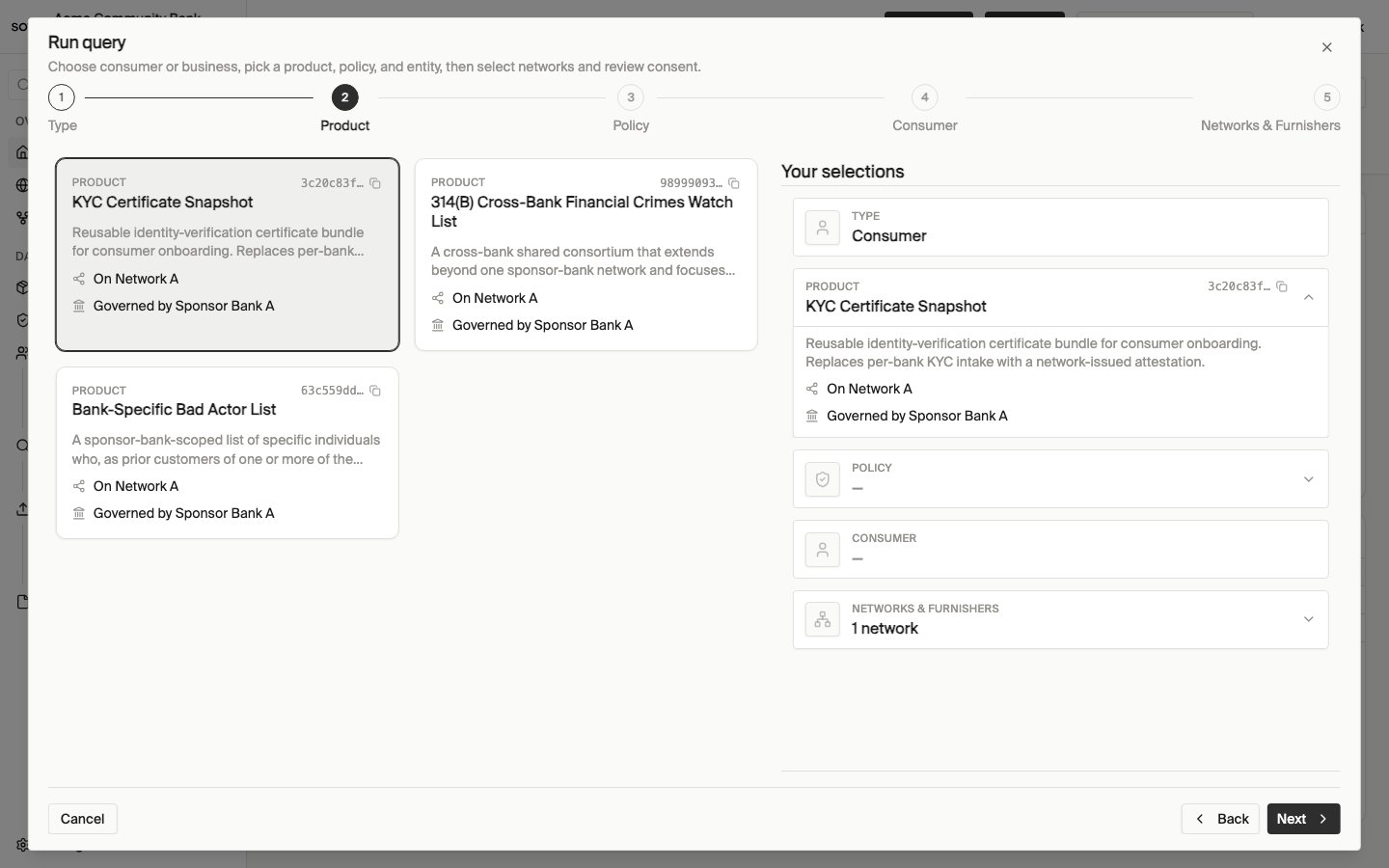
Run query — choose KYC certificate product
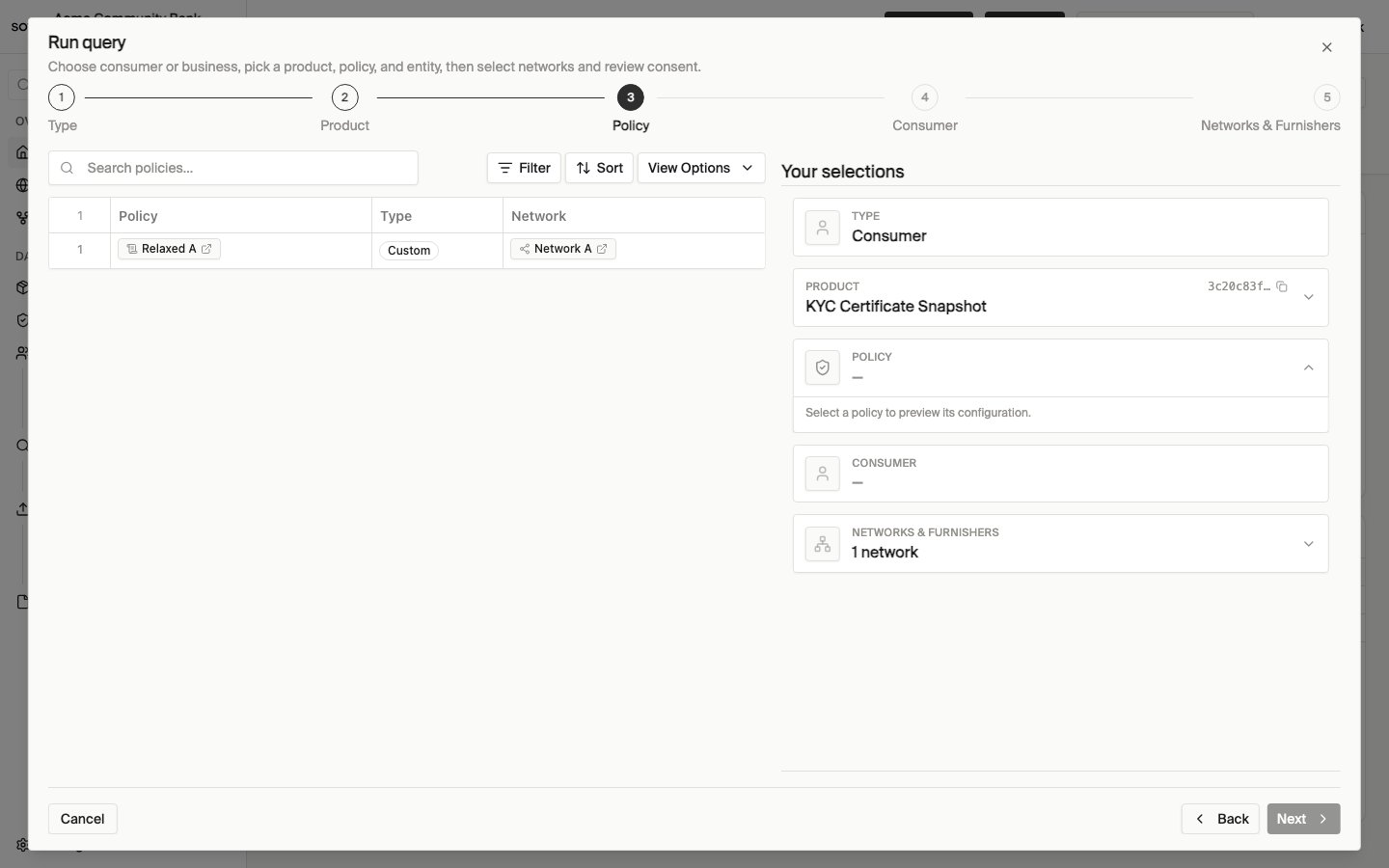
Run query — choose policy
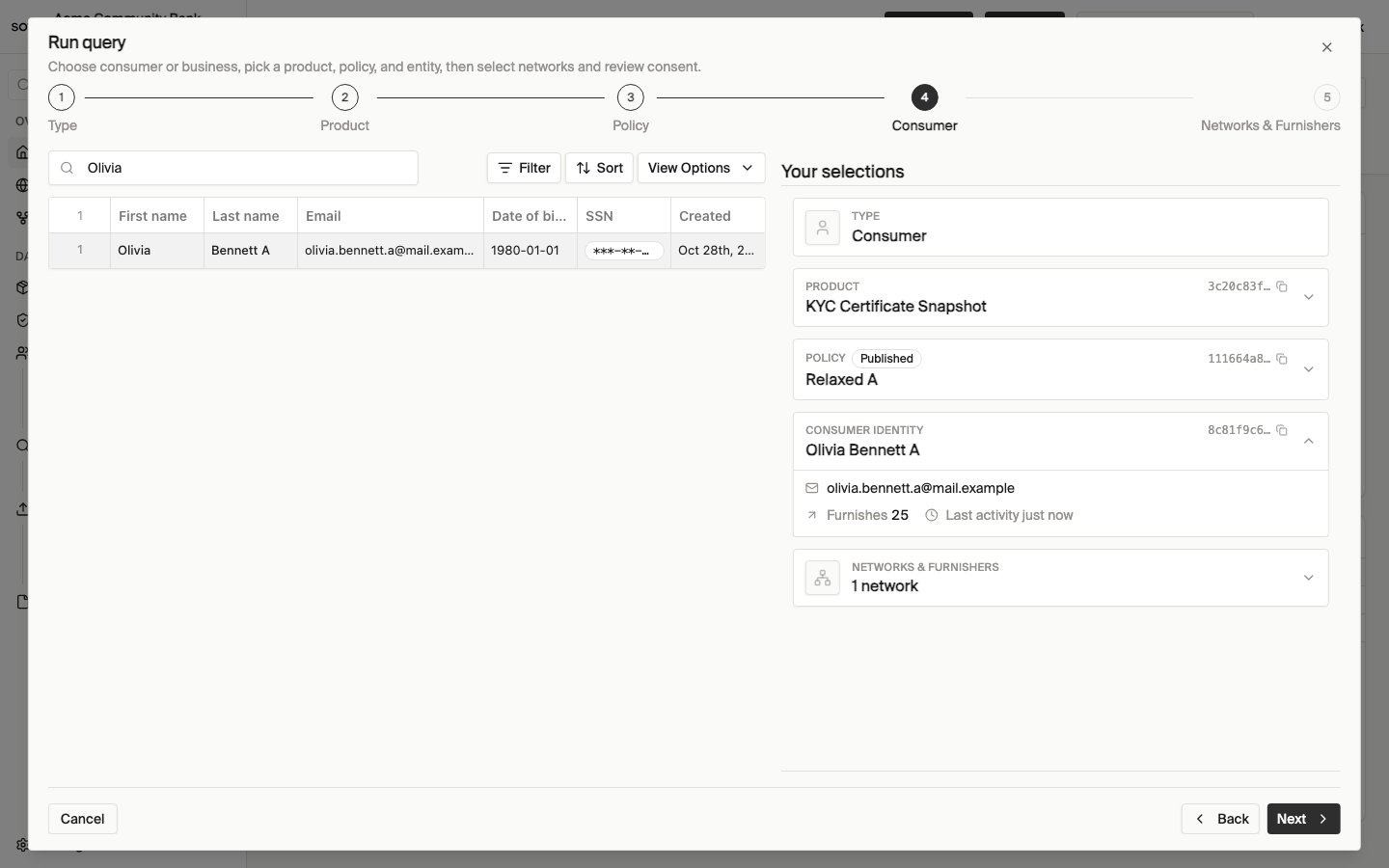
Run query — choose entity
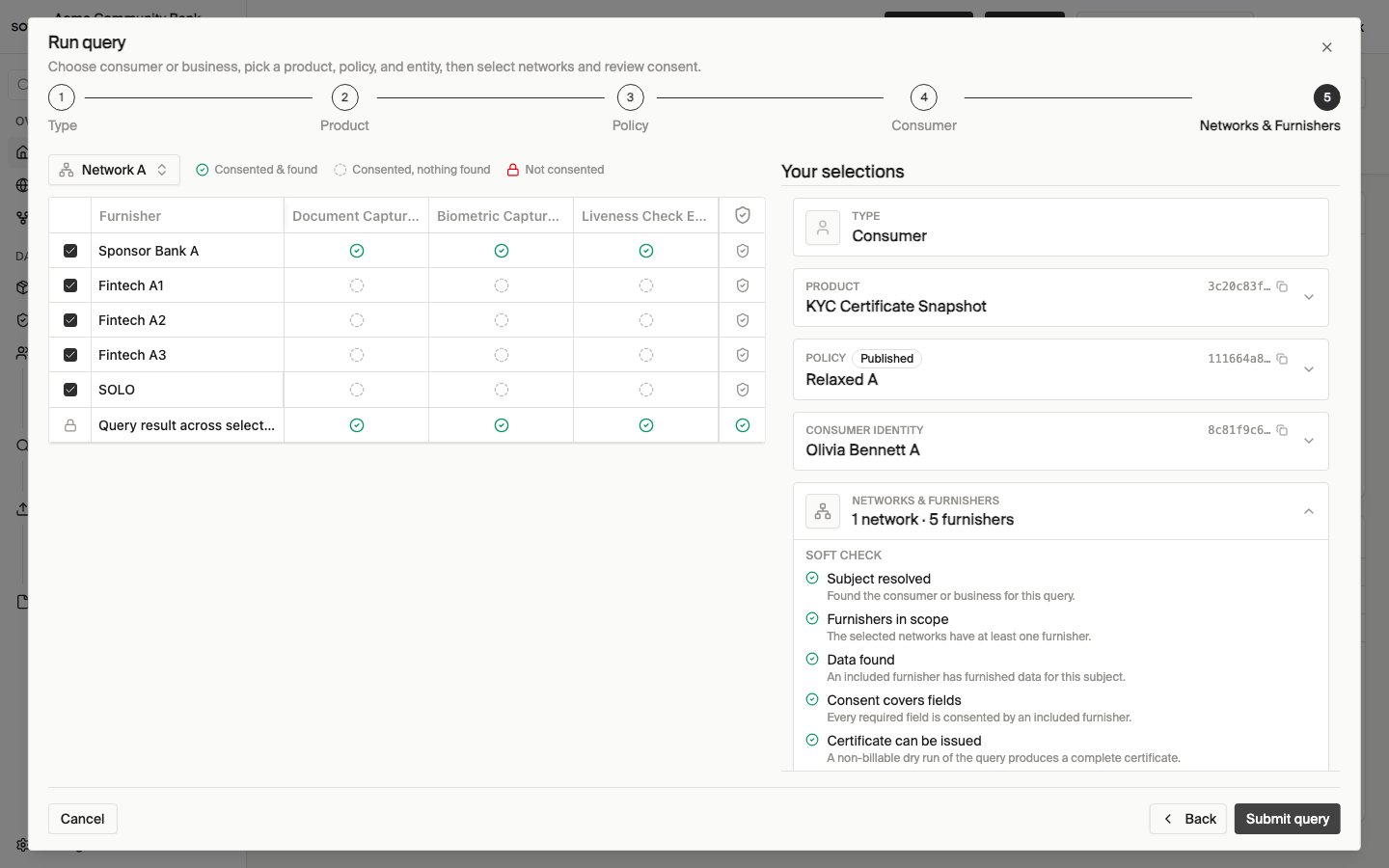
Run query — networks and consent matrix
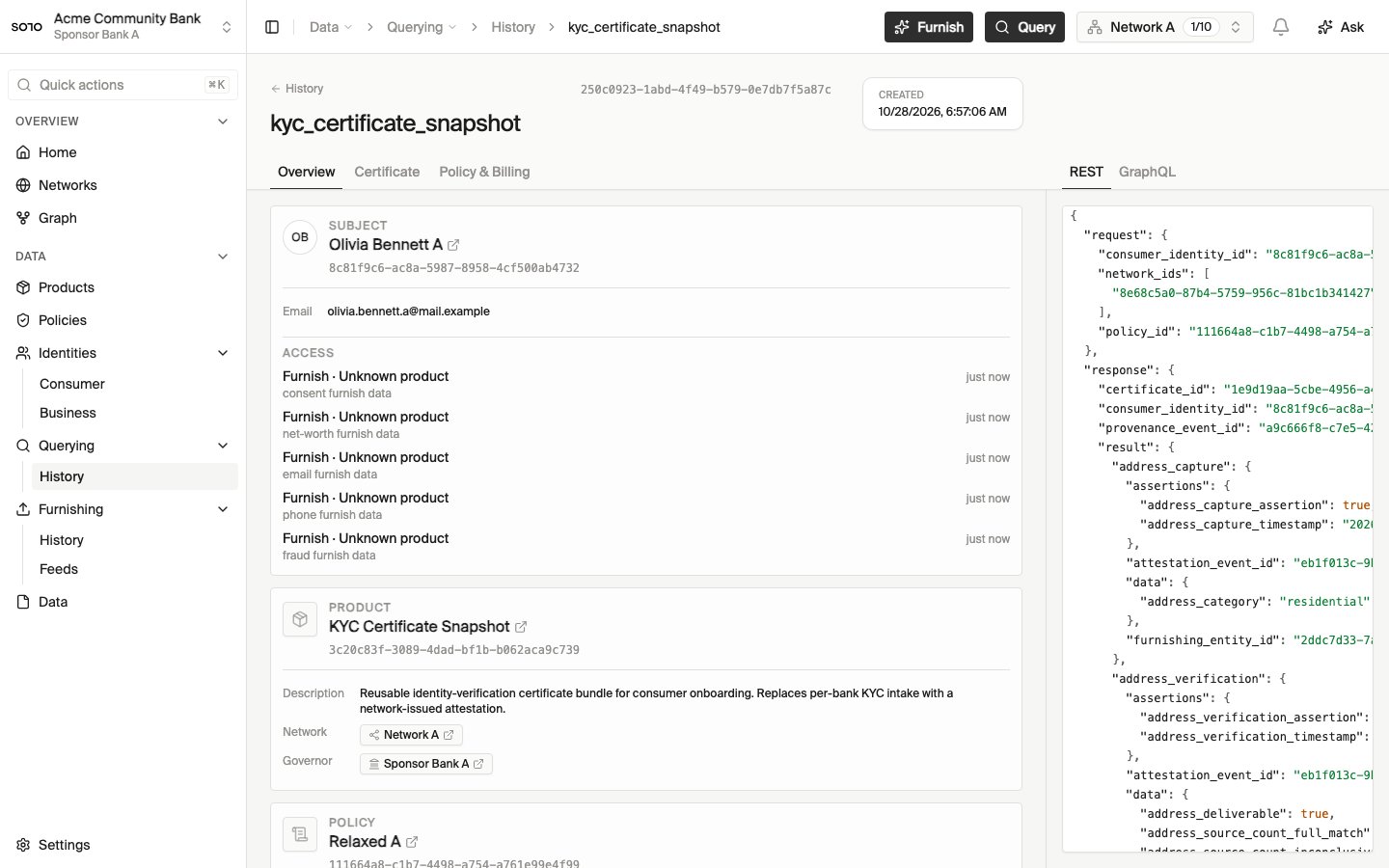
Query completed — run detail overview
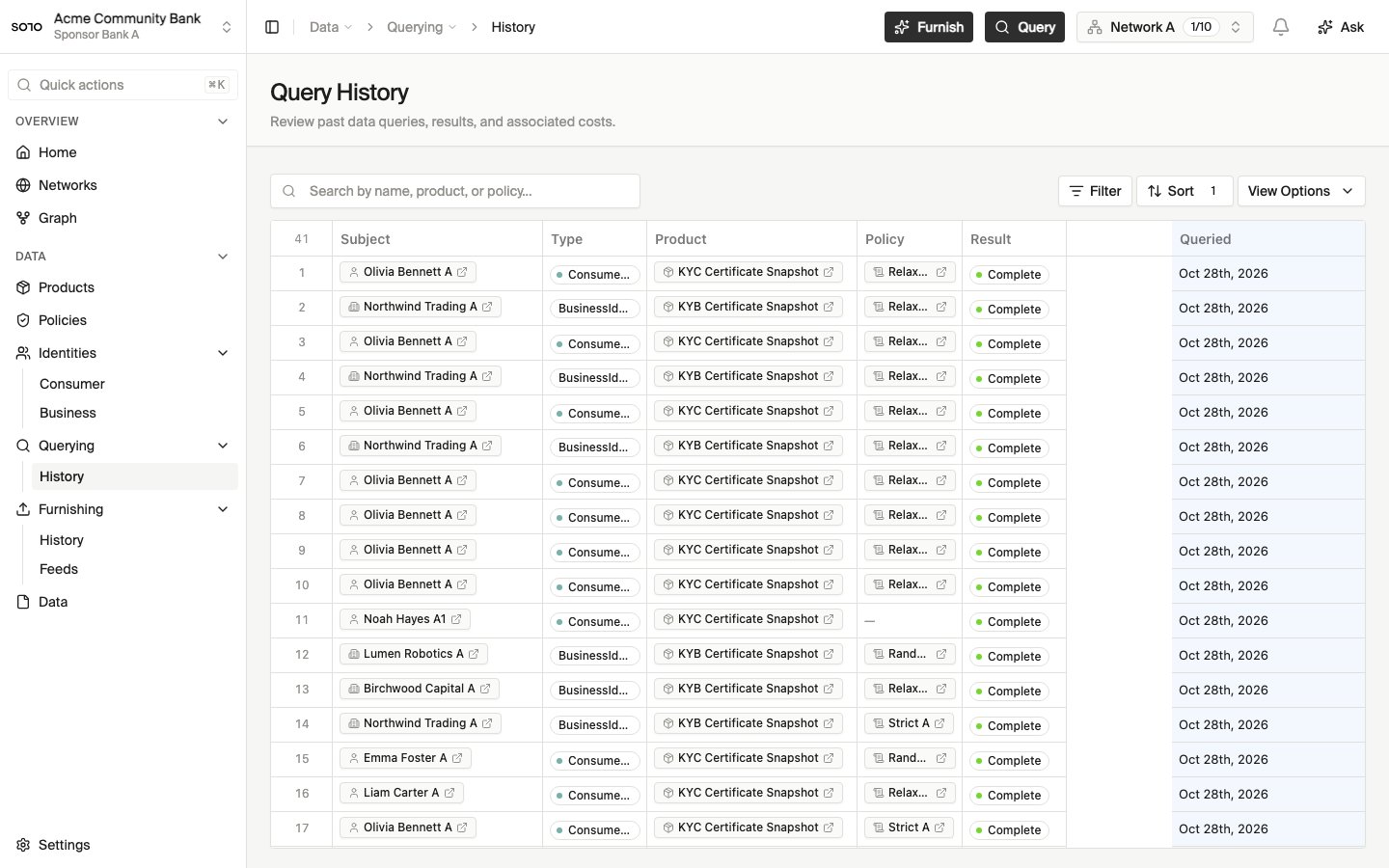
Query history list — recent consumer query
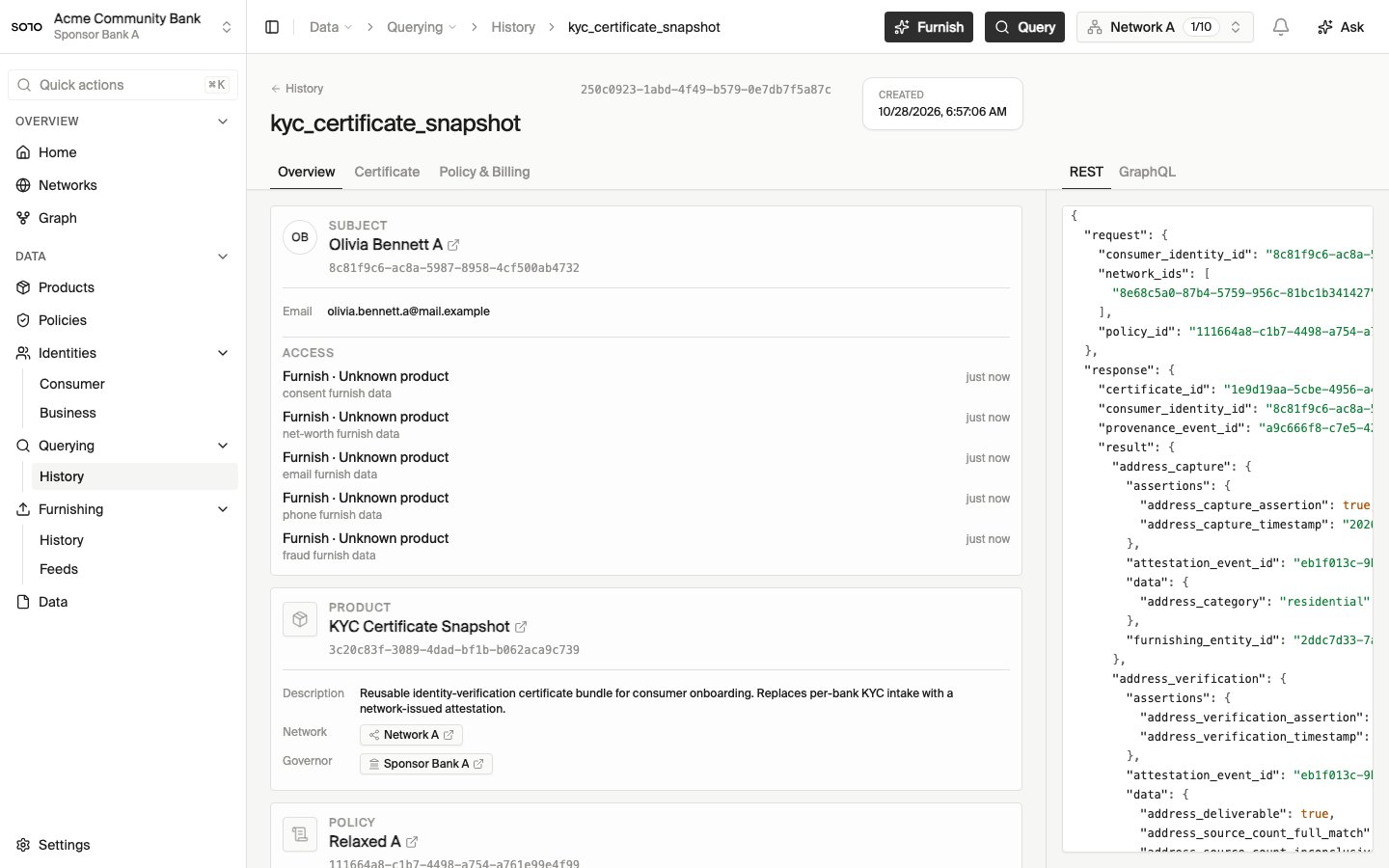
Query history — consumer KYC run detail opened from list
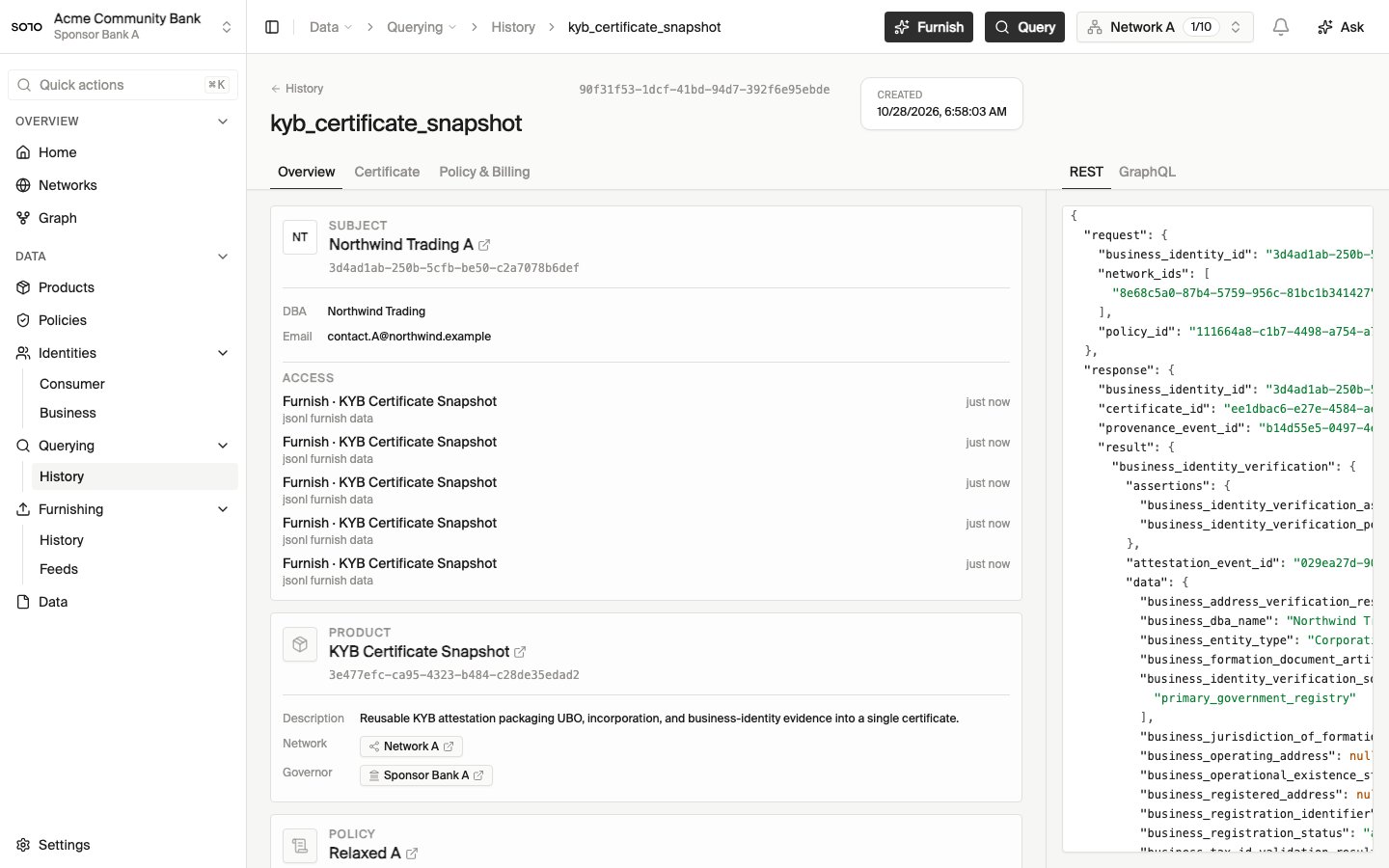
Business KYB query — REST response payload
Related concepts
Products
The catalog of what you can query.
Coverage check
See which institutions have furnished which fields, without a billable event.
Furnishing
The other half of the network: contributing data.
Query a product
A hands-on walkthrough.