> ## Documentation Index
> Fetch the complete documentation index at: https://docs.solo.one/llms.txt
> Use this file to discover all available pages before exploring further.
# Querying your first product
> Record consent and read consolidated data back from the network
Querying reads consolidated data about an entity from one or more
[networks](/concepts/governance/networks). Because you're reading personal
data, every query rides on a [consent](/concepts/identity/consent) record: you
create one (or reuse one), then pass its `consent_id` to the product's query
endpoint. In this guide you'll query a consolidated KYC certificate for a
consumer.
## Prerequisites
Before you start, you need:
* **Network membership with the querier role** — arranged with your SOLO
account manager (see
[Joining a network](/home/quickstart/join-a-network)).
* **A bearer token** (SDK token) exported as `SOLO_TOKEN`. See
[Authentication](/home/authentication).
* **Your `network_id`**. Optionally, the `policy_id` of a
[querying policy](/concepts/governance/querying-policies) — if you omit it,
each network's default policy applies.
## Consent, check, query
If you already hold a valid `consent_id` for this consumer — for example
from [Furnishing your first entity](/home/quickstart/furnish-an-entity) —
reuse it and skip to the next step. Otherwise, create one:
```bash theme={null}
curl -X POST https://api.solo.one/v1/consent/consumer \
-H "Authorization: Bearer $SOLO_TOKEN" \
-H "Content-Type: application/json" \
-d '{
"network_id": "9f1c0c2e-3d5b-4a89-b1e2-7f6a8c0d4e21",
"did_gather_consent_from_consumer_prior": true,
"consumer_consent_identity": {
"first_name": "Jane",
"last_name": "Doe",
"date_of_birth": "1990-01-15T00:00:00",
"personal_email": "jane.doe@example.com",
"phone_number": "5551234567",
"social_security_number": "123-45-6789"
}
}'
```
```json Response theme={null}
{
"consent_id": "5f3a8c21-09d4-4b7a-9d52-6e8b1f4c2a30",
"field_access_grants": [
{
"furnishing_entity_id": null,
"field_definitions": [
"fraud_verification_event.confirmed_fraud_indicator",
"fraud_verification_event.fraud_attribute_label",
"fraud_verification_event.fraud_event_date",
"fraud_verification_event.fraud_loss_event_category"
],
"effective_from": "2026-06-09",
"effective_to": null
}
],
"created_at": "2026-06-09T22:04:11+00:00",
"events": "",
"scope": "",
"expires_at": null,
"consented_fields": null
}
```
Keep the `consent_id` — it identifies the consumer on every query while
the consent remains valid. You can confirm it later with
`GET /v1/consent/consumer/{consent_id}?network_id=...`.
`did_gather_consent_from_consumer_prior` is an attestation. Only send
`true` if you have actually obtained the consumer's permission; the API
rejects `false` with a `400`.
A query is a billable event. If you want to know whether the network holds
enough data *before* you commit, run the non-billable coverage soft check.
It reports per-furnisher field coverage for a product without producing a
certificate:
```bash theme={null}
curl -X POST https://api.solo.one/v1/products/check \
-H "Authorization: Bearer $SOLO_TOKEN" \
-H "Content-Type: application/json" \
-d '{
"product_id": "b4a1d6e8-2c7f-4e93-8a05-d9c3f1b7e642",
"consent_id": "5f3a8c21-09d4-4b7a-9d52-6e8b1f4c2a30",
"network_ids": ["9f1c0c2e-3d5b-4a89-b1e2-7f6a8c0d4e21"]
}'
```
```json Response theme={null}
{
"product_id": "b4a1d6e8-2c7f-4e93-8a05-d9c3f1b7e642",
"consumer_id": "7c9e6679-7425-40de-944b-e07fc1f90ae7",
"business_id": null,
"entities": [
{
"furnishing_entity_id": "3e2d1c0b-9a87-4654-b321-0f9e8d7c6b5a",
"furnishing_entity_name": "First Example Bank",
"network_id": "9f1c0c2e-3d5b-4a89-b1e2-7f6a8c0d4e21",
"complete": true,
"models": [
{
"model_name": "DocumentCaptureEvent",
"met_count": 4,
"total_count": 4,
"fields": [
{ "field_name": "is_document_captured", "met": true },
{ "field_name": "document_capture_timestamp", "met": true },
{ "field_name": "is_document_attribute_reviewed", "met": true },
{ "field_name": "document_attribute_review_timestamp", "met": true }
]
}
]
}
]
}
```
Any furnisher with `complete: true` can satisfy the product's data
requirements for this consumer. See
[Coverage check](/api-overview/querying/coverage-check) for the full
semantics.
Pass the `consent_id` and your network scope to the product's query
endpoint. `network_ids` takes one or more networks; the single optional
`policy_id` is applied across every network in the list, pairing each
network with that policy (omit it to use each network's default policy):
```bash theme={null}
curl -X POST https://api.solo.one/v1/products/kyc_certificate/query \
-H "Authorization: Bearer $SOLO_TOKEN" \
-H "Content-Type: application/json" \
-d '{
"consent_id": "5f3a8c21-09d4-4b7a-9d52-6e8b1f4c2a30",
"network_ids": ["9f1c0c2e-3d5b-4a89-b1e2-7f6a8c0d4e21"],
"policy_id": "5e7d2a14-8b3c-4f60-9e17-a2d4c6b8f015"
}'
```
```json Response theme={null}
{
"certificate_id": "8a6f4c2e-1b9d-4730-a5e8-3c7f0d2b6491",
"query_event_id": "c1e8f5a3-7d20-4b96-8c44-e6a9b3d1f728",
"consumer_id": "7c9e6679-7425-40de-944b-e07fc1f90ae7",
"result": {
"meta": {
"network_id": "9f1c0c2e-3d5b-4a89-b1e2-7f6a8c0d4e21",
"policy_id": "5e7d2a14-8b3c-4f60-9e17-a2d4c6b8f015"
},
"document_capture": {
"furnishing_entity_id": "3e2d1c0b-9a87-4654-b321-0f9e8d7c6b5a",
"attestation_id": "f0a9b8c7-d6e5-4432-a1b0-c9d8e7f6a5b4",
"assertions": {
"document_capture_assertion": true,
"document_capture_timestamp": "2026-04-15T00:00:00"
},
"data": {
"document_type": "passport",
"document_number": "987654321",
"document_issue_date": "2020-08-05",
"document_expiration_date": "2030-08-05",
"document_issuing_state": "government",
"document_capture_method": "mobile_scan"
}
},
"document_review": {
"furnishing_entity_id": "3e2d1c0b-9a87-4654-b321-0f9e8d7c6b5a",
"attestation_id": "f0a9b8c7-d6e5-4432-a1b0-c9d8e7f6a5b4",
"assertions": {
"document_attribute_review_assertion": true,
"document_attribute_review_timestamp": "2026-04-16T00:00:00"
},
"data": {
"document_review_method": "automated_ocr",
"document_tamper_review_performed": true,
"document_tamper_indicators_observed": false
}
},
"biometric_capture": {
"furnishing_entity_id": "3e2d1c0b-9a87-4654-b321-0f9e8d7c6b5a",
"attestation_id": "a7b6c5d4-e3f2-4109-b8a7-c6d5e4f3a2b1",
"assertions": {
"biometric_capture_assertion": true,
"biometric_capture_timestamp": "2026-04-15T00:00:00"
},
"data": {
"biometric_capture_method": "selfie"
}
},
"biometric_review": null,
"liveness_capture": null,
"liveness_review": null,
"address_capture": null,
"address_verification": null,
"identity_corroboration": null
}
}
```
To restrict the query to specific furnishers, add the optional
`furnishing_entity_ids` list; when omitted, data from all furnishers is
considered.
## 200 vs 204, and the X-Ref-Id header
A query has two healthy outcomes:
* **`200 OK`** — the available data satisfied the policy's requirements and a
certificate was created. The body is the consolidated result above.
* **`204 No Content`** — the query ran, but no certificate could be created:
the data available to you didn't satisfy the policy requirements. The body
is empty.
Both outcomes carry an **`X-Ref-Id` response header** — the UUID of the
recorded query event. On a `200` it equals the body's `query_event_id`; on a
`204` it's the only identifier you get, so log it. Quote the `X-Ref-Id` when
raising an issue with SOLO, and use it to reconcile query activity.
A `204` is not an error and not necessarily "the network has nothing." It
means the fields *you* can read — bounded by
[entitlement](/concepts/governance/entitlement) and the querying
[policy](/concepts/governance/querying-policies) — were insufficient to
assemble a complete certificate. The coverage check in step 2 is the cheap
way to predict this.
## Inspect the result
| Field | Meaning |
| ----------------------------------------------------------- | ------------------------------------------------------------------------------------------------------------------------------------------------------------------------------------------------------------------------------------------------------------------------------------------------------------------------------------------------------------------------------------ |
| `certificate_id` | UUID of the certificate created by this query. |
| `query_event_id` | UUID of the recorded query event; matches the `X-Ref-Id` header. |
| `consumer_id` | UUID of the consumer the consent resolved to. |
| `result.meta` | The anchor `network_id` the result is attributed to and the `policy_id` applied (`null` when the default policy was used). |
| `result.document_capture` … `result.identity_corroboration` | The nine certificate sub-products: document capture/review, biometric capture/review, liveness capture/review, address capture/verification, and identity corroboration. Each populated sub-product carries the `furnishing_entity_id` and `attestation_id` of its source, an `assertions` block (what was asserted and when), and a `data` block with the underlying detail fields. |
A sub-product is `null` when no furnisher's data satisfied it — which is
expected, not a failure, as long as the policy doesn't require it. If a field
you expected is missing, it's usually because you haven't earned entitlement
to it (you've neither furnished nor previously queried it) or the policy
doesn't expose it in this network.
## Maintaining the consent
Reuse one `consent_id` for every query of the same consumer while the consent
is valid. Its identity fields are immutable, but you can adjust `scope`,
`expires_at`, and `consented_fields` as your agreement with the consumer
evolves:
```bash theme={null}
curl -X PUT https://api.solo.one/v1/consent/consumer/5f3a8c21-09d4-4b7a-9d52-6e8b1f4c2a30 \
-H "Authorization: Bearer $SOLO_TOKEN" \
-H "Content-Type: application/json" \
-d '{
"network_id": "9f1c0c2e-3d5b-4a89-b1e2-7f6a8c0d4e21",
"expires_at": "2027-01-01T00:00:00+00:00"
}'
```
The response is the updated consent in the same shape as the create response.
At least one of the three updatable fields must be present, and the
`network_id` must match the network the consent was created in. To consent
with different identity data, create a new record instead.
## Troubleshooting
```json theme={null}
{
"detail": "Authentication required",
"error_code": "AUTHENTICATION_REQUIRED"
}
```
Your bearer token is missing, malformed, or expired. Re-export `SOLO_TOKEN`
with a fresh token from your SOLO account manager. See
[Authentication](/home/authentication).
```json theme={null}
{
"detail": "Consent cannot be created without prior consumer consent gathering",
"error_code": "VALIDATION_ERROR"
}
```
Returned by the consent create in step 1 when
`did_gather_consent_from_consumer_prior` is `false`. Gather the consumer's
permission first, then retry with `true`.
```json theme={null}
{
"detail": "Consent record not found",
"error_code": "RESOURCE_NOT_FOUND"
}
```
Two common causes: you looked up a consent with
`GET /v1/consent/consumer/{consent_id}` using a `network_id` other than
the one it was created in (consents are network-scoped), or your query's
`consent_id` doesn't resolve to a known consumer. Verify the `consent_id`
and use the originating `network_id`.
```json theme={null}
{
"detail": "body -> network_ids: Field required"
}
```
`network_ids` (with at least one entry) is required on every query, and
`consent_id` identifies the subject. A `422` carries a single `detail`
string in `location -> field: message` form pointing at the first invalid
input.
Empty body, status `204`, with an `X-Ref-Id` header identifying the query
event. The data you're entitled to read didn't satisfy the policy. Run the
[coverage check](/api-overview/querying/coverage-check) to see which furnishers
and fields fall short, or revisit which networks and `policy_id` you're
querying with.
## Next steps
## In the dashboard
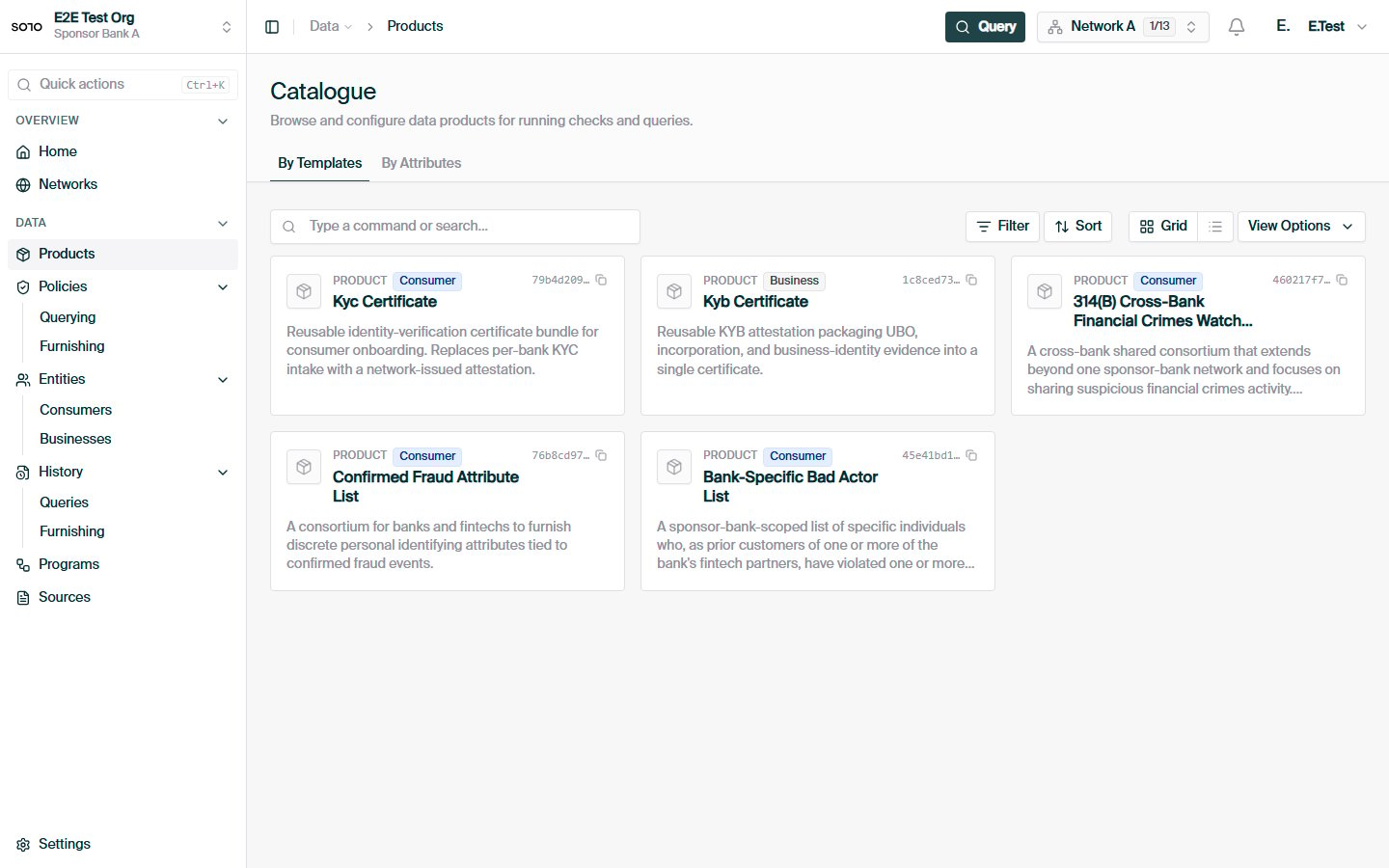
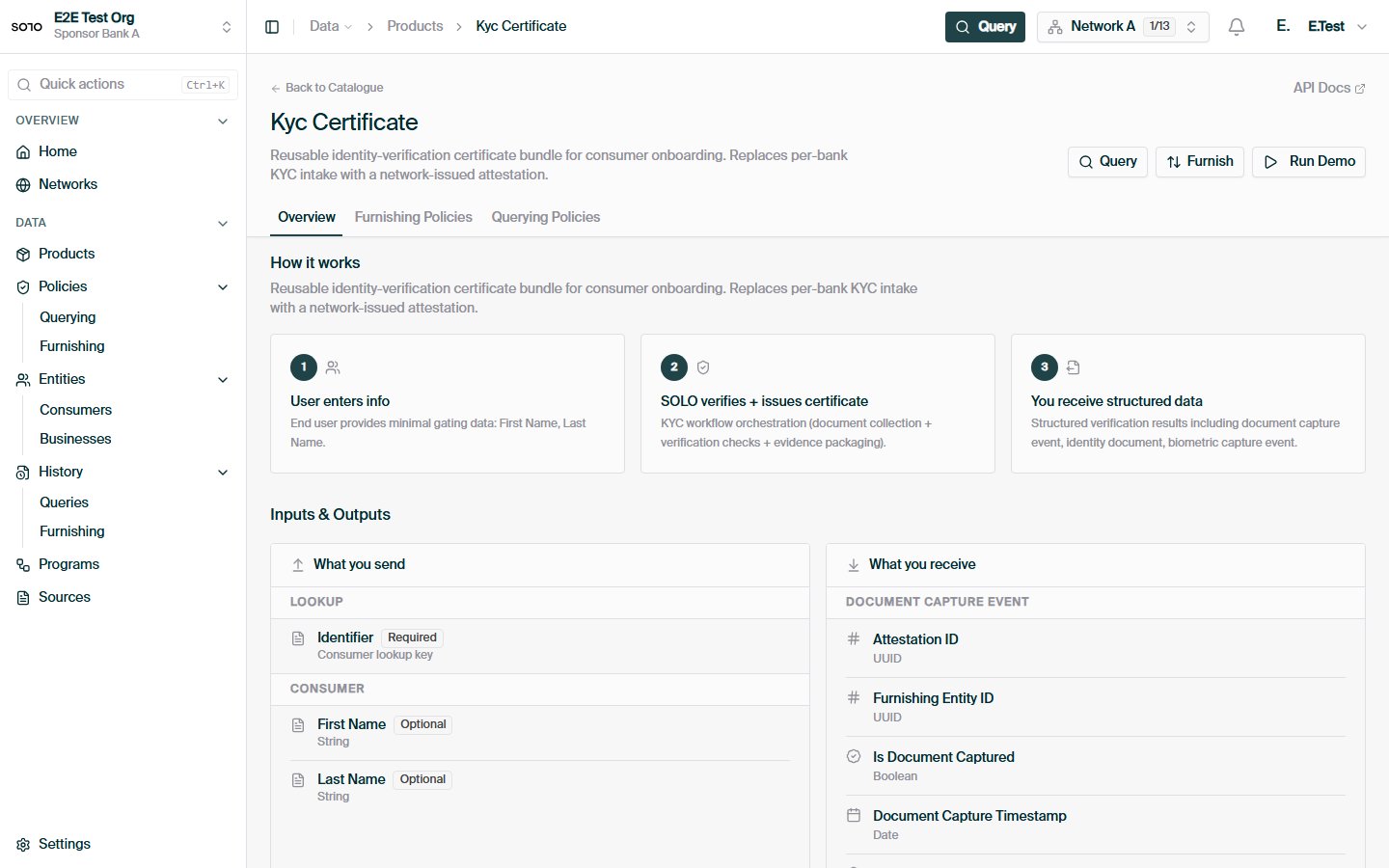
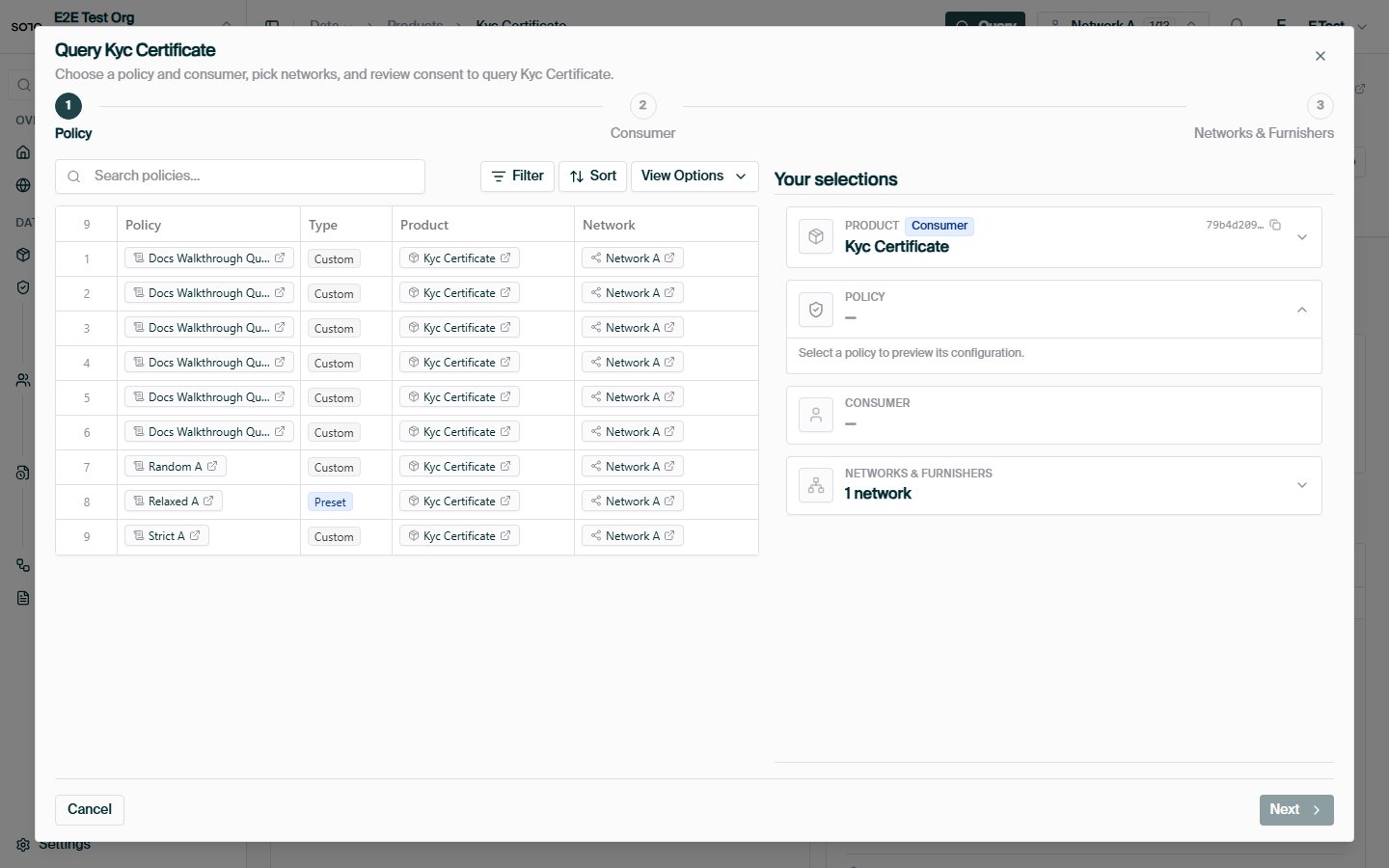
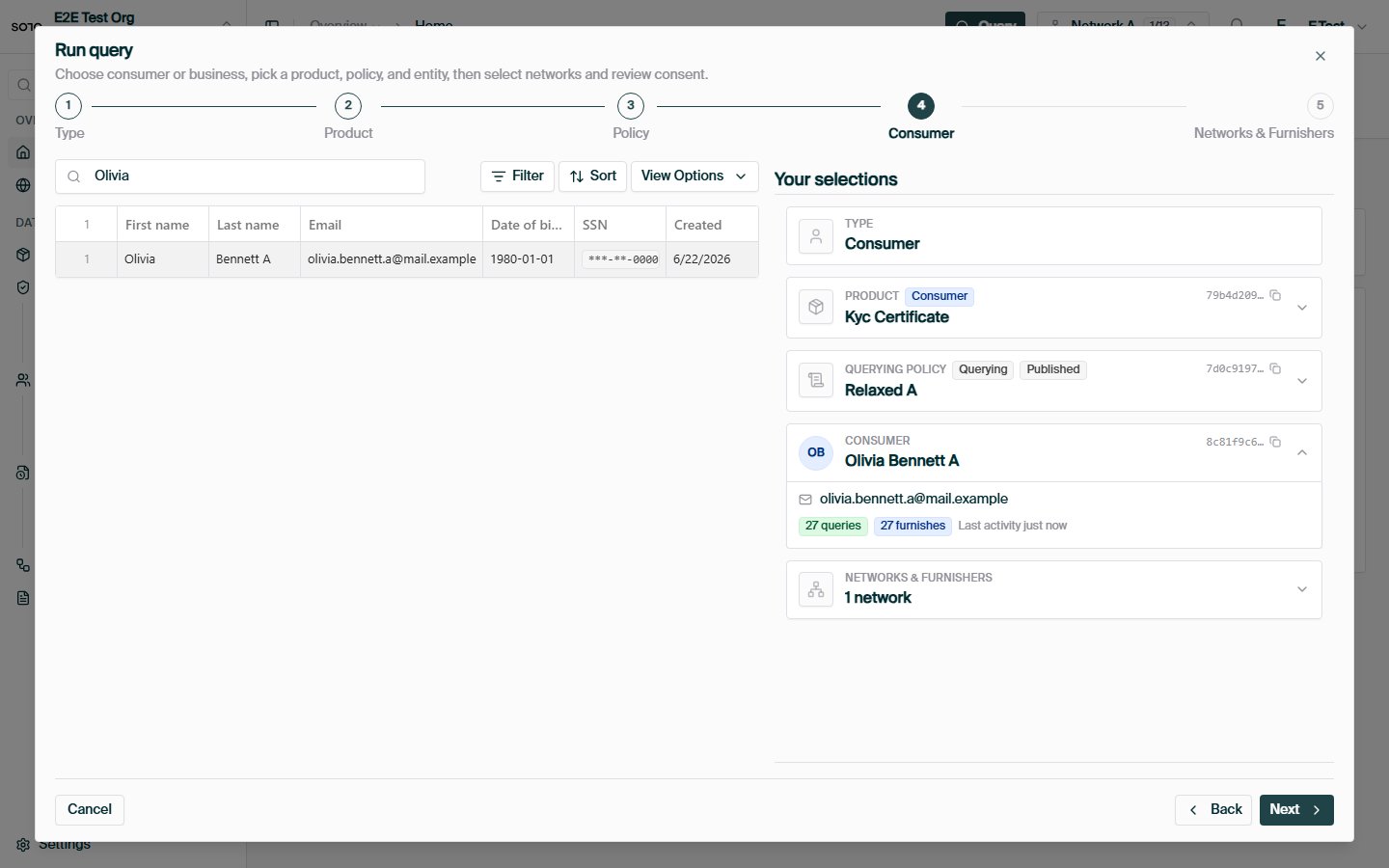
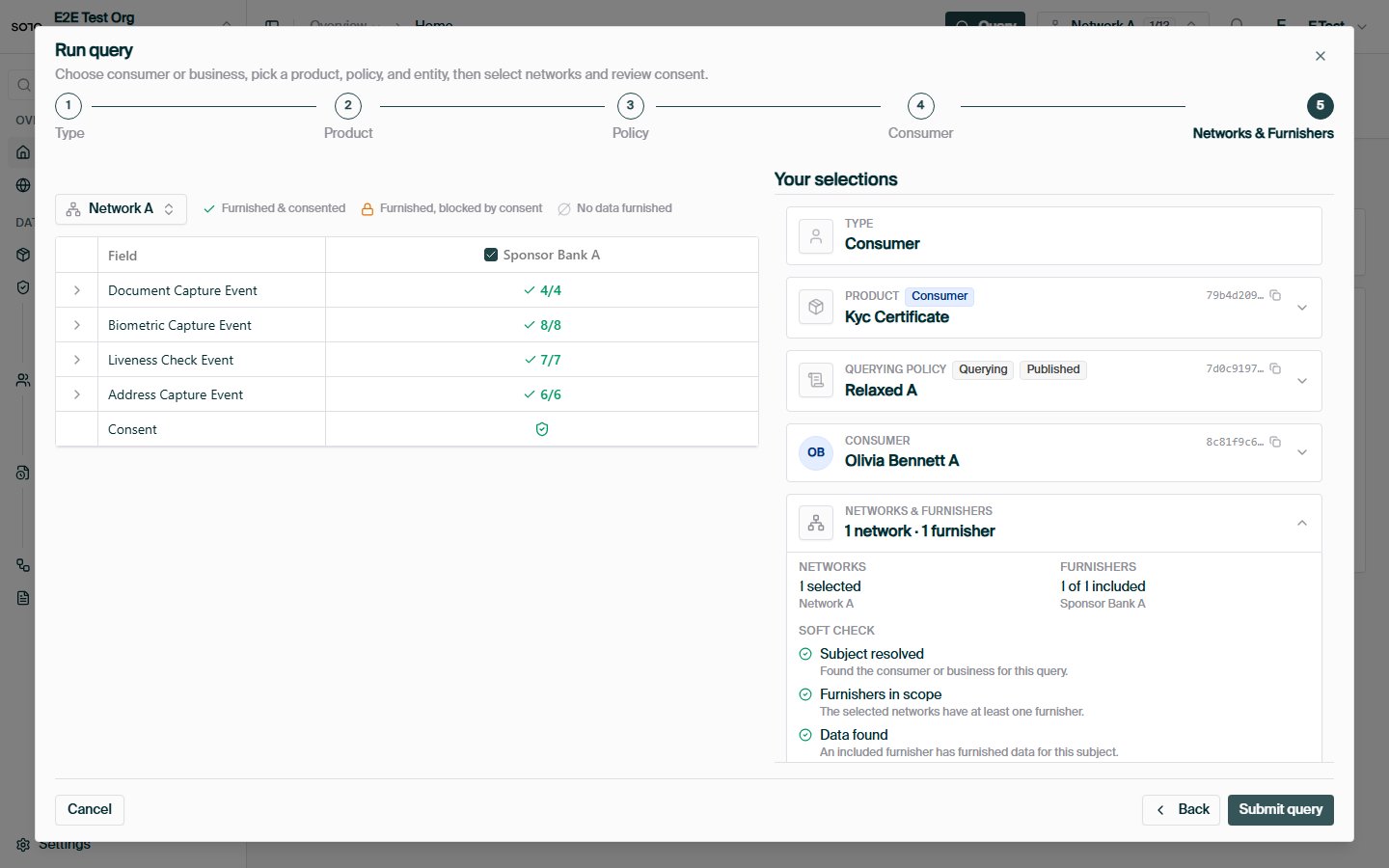
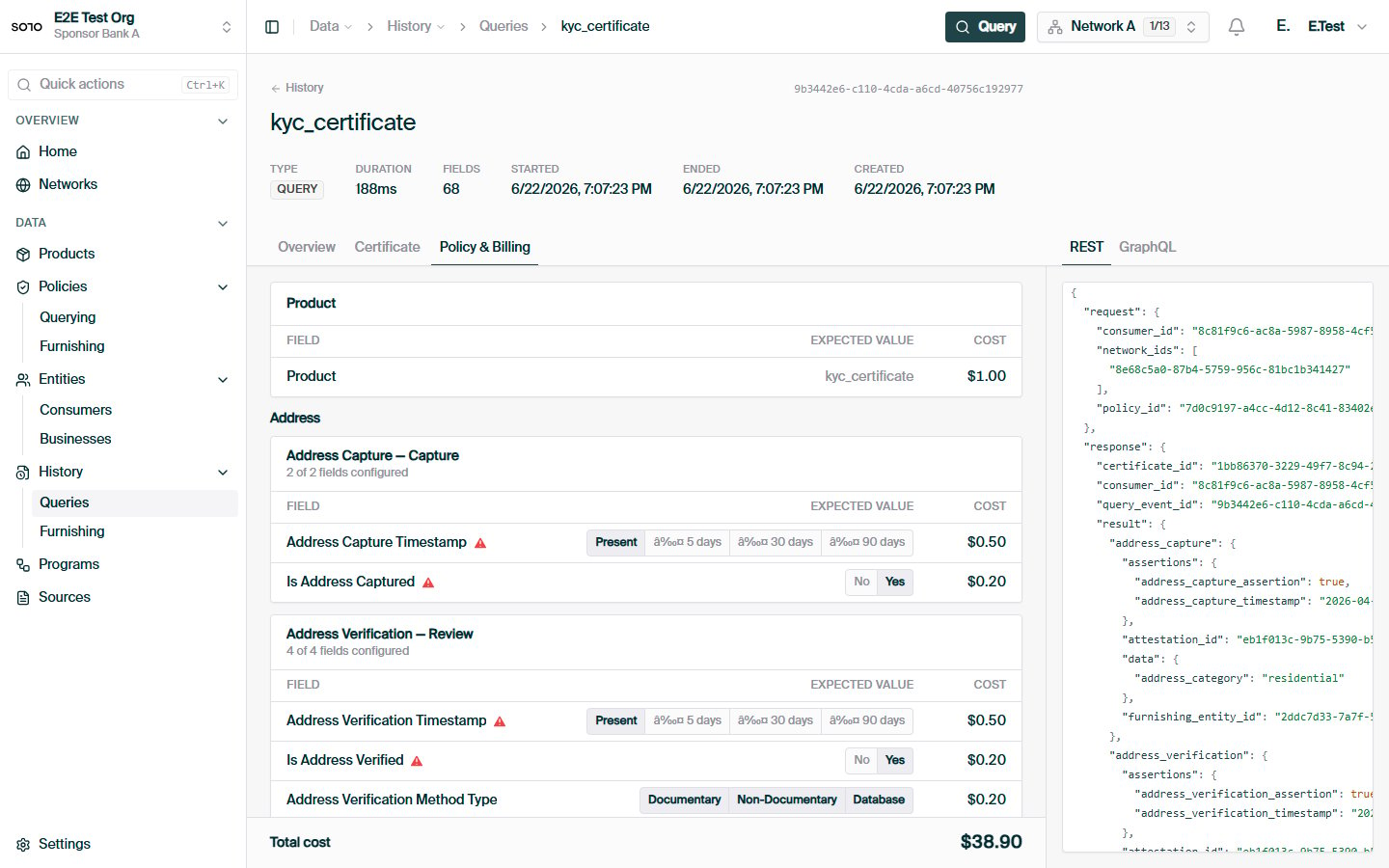 Network + policy + product + consumer, end to end.
The permission layer behind every query.
The non-billable soft check in depth.
KYB certificates, screening lists, and the rest of the catalog.
Network + policy + product + consumer, end to end.
The permission layer behind every query.
The non-billable soft check in depth.
KYB certificates, screening lists, and the rest of the catalog.