> ## Documentation Index
> Fetch the complete documentation index at: https://docs.solo.one/llms.txt
> Use this file to discover all available pages before exploring further.
# Joining a network
> Understand membership, roles, and your first calls in a network
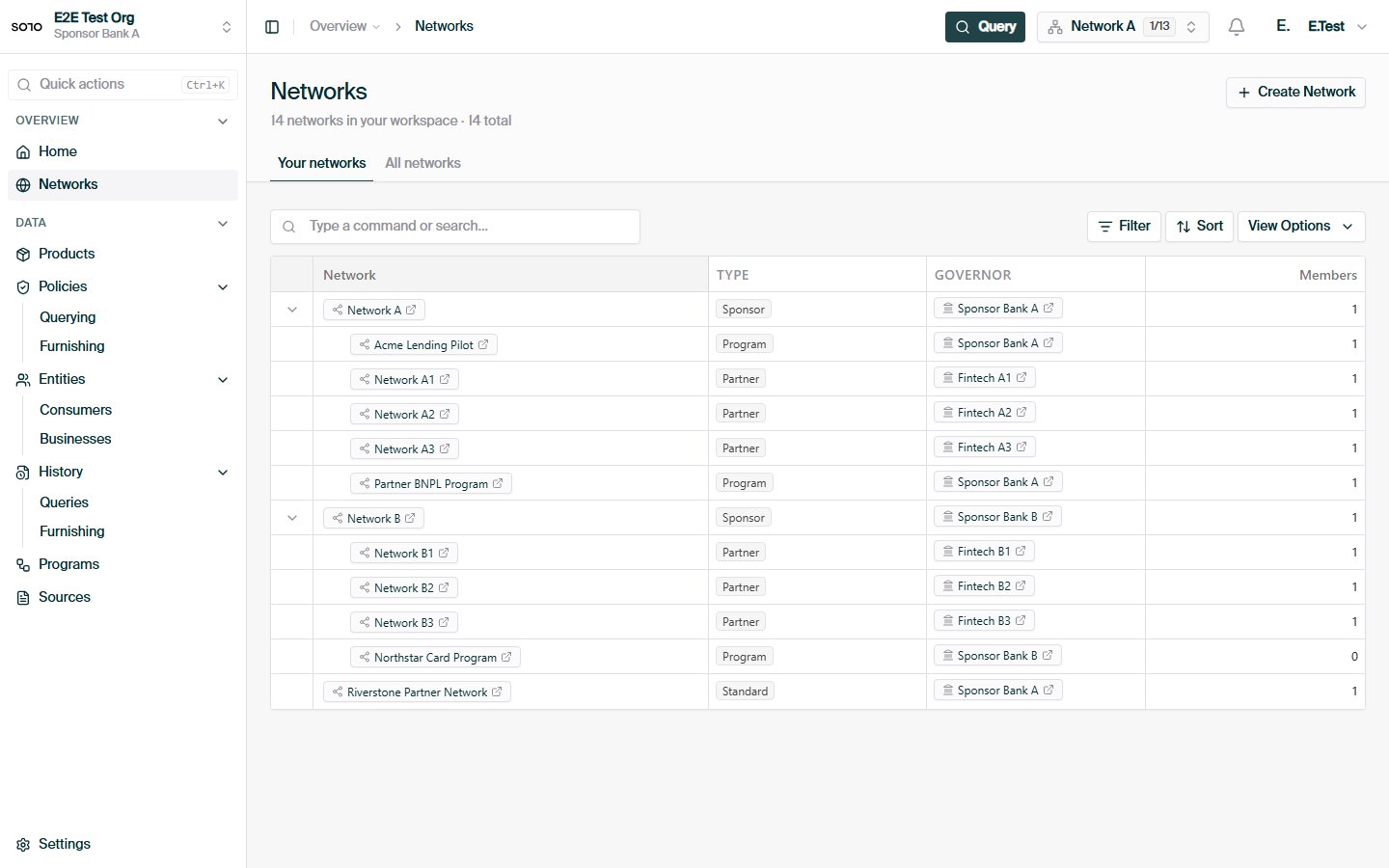
Everything you do on the platform happens inside a
[network](/concepts/governance/networks) — a trust boundary that defines who can
contribute data, who can read it, and under which policies. This guide gets you
from "we signed the paperwork" to "our token works and we can see the network,"
using two read-only API calls.
## Prerequisites
Before you start, you need:
* **Network membership and a role** — arranged with your SOLO account manager
(see step 1 below).
* **A bearer token** (SDK token) exported as `SOLO_TOKEN`. See
[Authentication](/home/authentication).
* **Your `network_id`** — the UUID of the network you were added to.
## Set up and verify
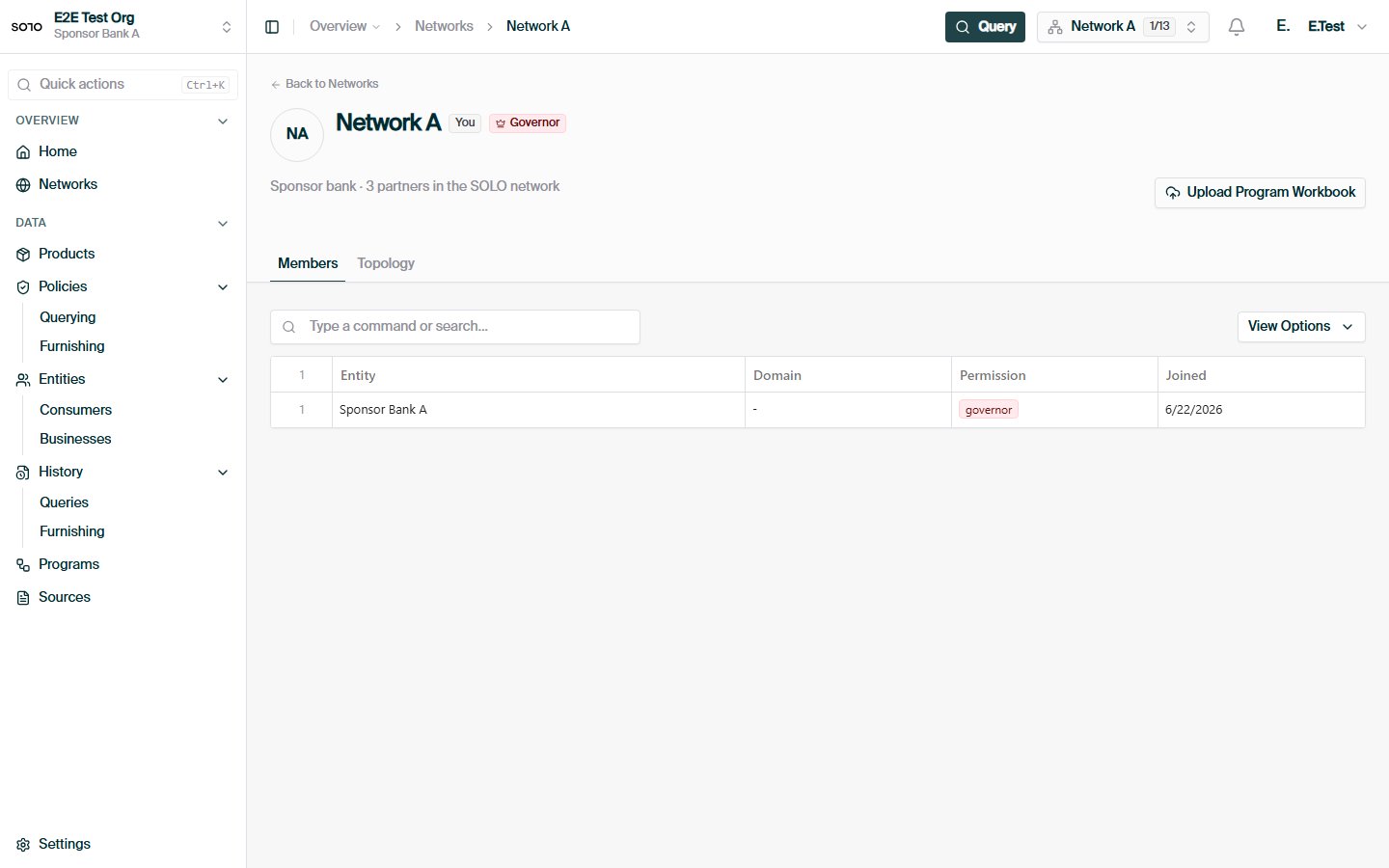
Network membership and roles are arranged with your SOLO account manager —
there is no self-service signup endpoint. When your organization is added,
you receive:
* a **`network_id`** — the network you'll furnish into or query from, and
* one or more **roles** that define what you can do in it.
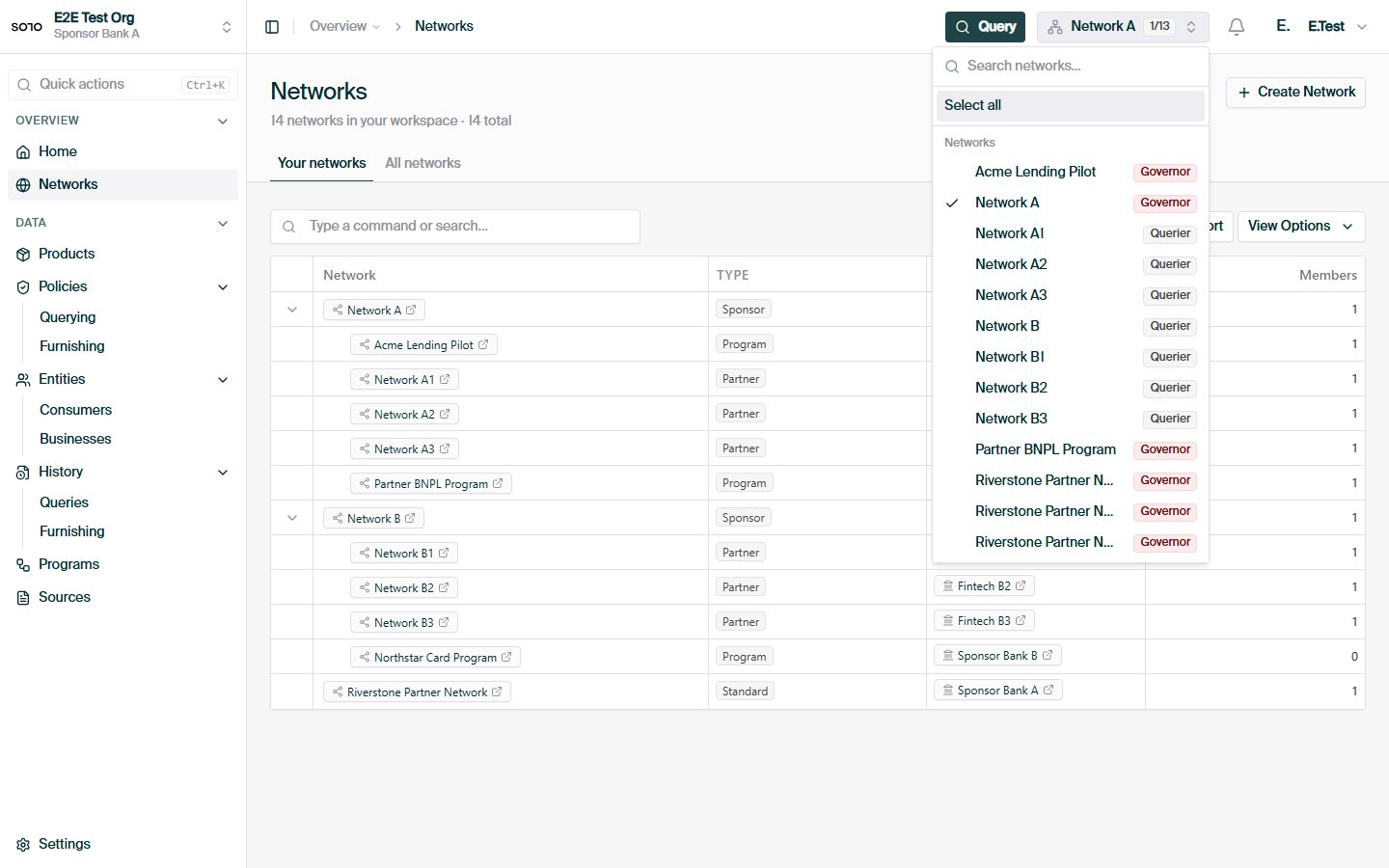
| Role | What it lets you do |
| ------------- | ----------------------------------------------- |
| **Furnisher** | Contribute data into the network. |
| **Querier** | Run product queries scoped to the network. |
| **Governor** | Administer the network's policies and metadata. |
Roles grant *capabilities*, not *visibility*. Joining a network — even
governing one — does not let you read other members' data. Reading requires
[consent](/concepts/identity/consent) from the data subject and
[entitlement](/concepts/governance/entitlement) earned by participating.
Roles are covered in depth in
[Network roles](/concepts/governance/network-roles).
Before testing your credentials, confirm you can reach the API at all.
`/version` requires no special role and tells you which API versions the
deployment serves:
```bash theme={null}
curl https://api.solo.one/version \
-H "Authorization: Bearer $SOLO_TOKEN"
```
```json Response theme={null}
{
"api_versions": ["v1"],
"build": {
"commit": "9b8a7c6d",
"version": "1.42.0"
}
}
```
All the endpoints in these guides live under the `v1` prefix listed in
`api_versions`. The `build` block identifies the exact deployment — include
it when reporting unexpected behavior to SOLO. There's also a
`GET /health` probe that returns `{"status": "healthy"}` if the service is
up; point your uptime monitoring at it.
The fastest end-to-end check of your token, membership, and `network_id` is
an entity search scoped to your network:
```bash theme={null}
curl -G https://api.solo.one/v1/entities/consumer/search \
-H "Authorization: Bearer $SOLO_TOKEN" \
--data-urlencode "network_id=9f1c0c2e-3d5b-4a89-b1e2-7f6a8c0d4e21" \
--data-urlencode "last_name=Doe" \
--data-urlencode "limit=10"
```
```json Response theme={null}
[
{
"id": "7c9e6679-7425-40de-944b-e07fc1f90ae7",
"identifier": "7c9e6679-7425-40de-944b-e07fc1f90ae7",
"created_at": "2026-05-12T18:21:43+00:00",
"updated_at": "2026-05-12T18:21:43+00:00",
"first_name": "Jane",
"last_name": "Doe",
"personal_email": "jane.doe@example.com",
"date_of_birth": "1990-01-15",
"social_security_number": "123-45-6789"
}
]
```
A `200 OK` — even with an empty `[]` body — proves your token is valid and
scoped to the network. `network_id` is the only required parameter; the
rest narrow the search:
* `first_name`, `last_name`, `personal_email` — case-insensitive **partial**
matches.
* `social_security_number`, `date_of_birth` — **exact** matches
(`YYYY-MM-DD` for date of birth).
* `limit` — maximum results, 1–100, default 20.
## Inspect the result
Each element of the search response is a consumer core identity visible to you
within the network:
| Field | Meaning |
| -------------------------------------------------------------------------------------- | ---------------------------------------------------------------------------------------------- |
| `id` | The consumer's UUID. Use it as `consumer_id` when linking a consent record to a known profile. |
| `identifier` | The consumer record's stable string identifier. |
| `created_at` / `updated_at` | When the consumer record was created and last modified. |
| `first_name`, `last_name`, `personal_email`, `date_of_birth`, `social_security_number` | The core identity fields the record was matched on. Any of these may be `null` if not on file. |
An empty array is a perfectly healthy response — it means no consumer in this
network matches your filters yet. After you complete
[Furnishing your first entity](/home/quickstart/furnish-an-entity), the consumer
you furnish will appear here.
Note what the search does *not* return: certificates, events, or any product
data. Search is an identity lookup. Reading actual data about a consumer
always goes through a product query with a consent record — that separation is
the core of the platform's privacy model.
## Subnetworks
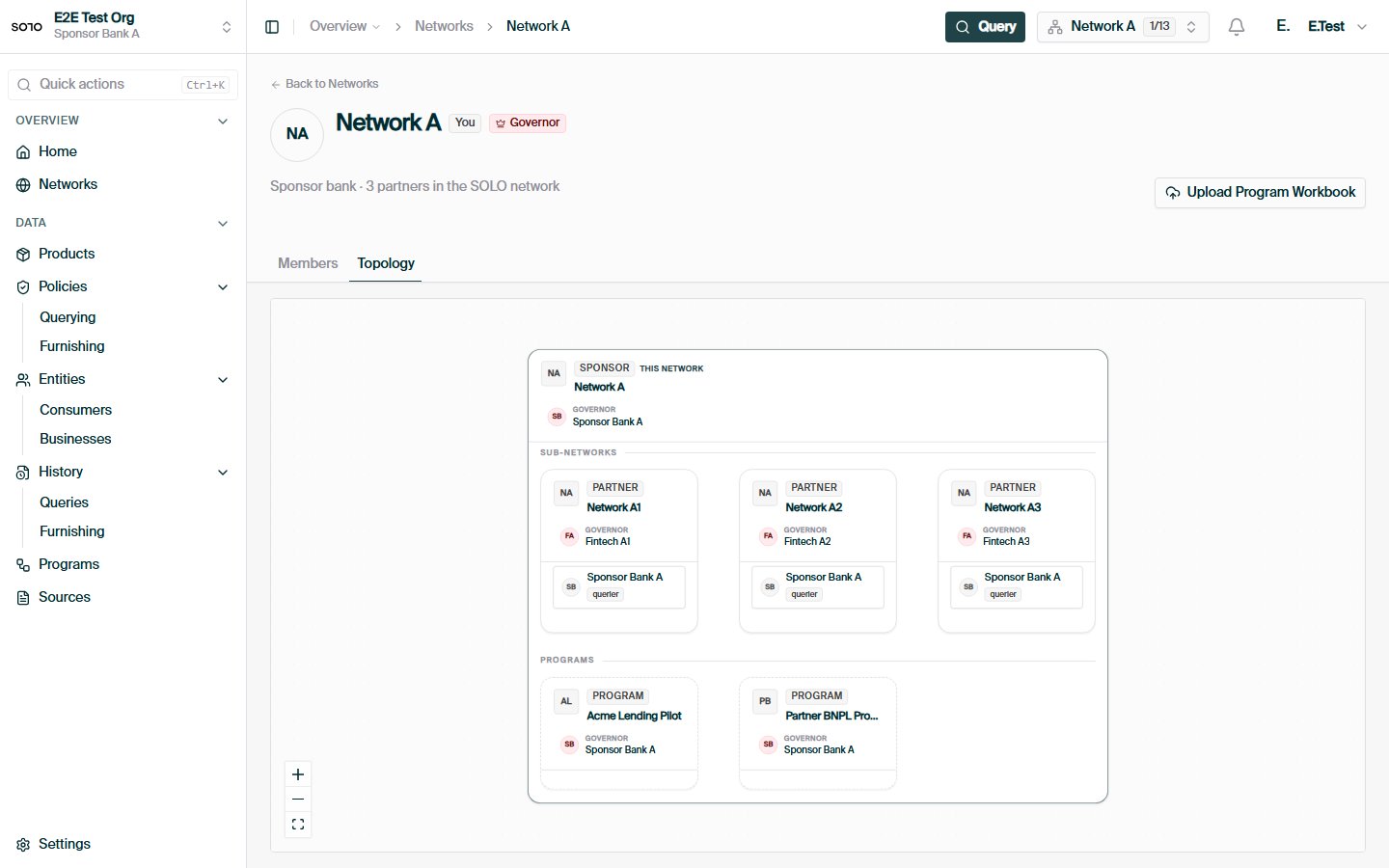
As you scale, you'll encounter **subnetworks** — narrower trust boundaries
nested under a parent network. You name the subnetwork when furnishing, and it
participates in [furnishing policy](/api-overview/furnishing/overview)
resolution.
Subnetworks are explained in [Networks](/concepts/governance/networks), and the rules
for who may change what are covered in
[Network governance](/concepts/governance/network-governance).
## Troubleshooting
```json theme={null}
{
"detail": "Authentication required",
"error_code": "AUTHENTICATION_REQUIRED"
}
```
Your bearer token is missing, malformed, or expired. Tokens are issued by
your SOLO account manager — re-export `SOLO_TOKEN` with a fresh value and
confirm the header reads exactly `Authorization: Bearer $SOLO_TOKEN`. See
[Authentication](/home/authentication).
```json theme={null}
{
"detail": "query -> network_id: Field required"
}
```
`network_id` is required on every search. A `422` always carries a single
`detail` string in `location -> field: message` form pointing at the first
invalid input — fix that field and retry.
```json theme={null}
{
"detail": "Permission denied",
"error_code": "PERMISSION_DENIED"
}
```
Your token is valid but your role in this network doesn't allow the call —
for example, furnishing without the furnisher role. Confirm your roles with
your SOLO account manager. See
[Network roles](/concepts/governance/network-roles).
Not an error. Your token and membership are fine; the network simply has no
consumer matching your filters. Partial-match fields (`first_name`,
`last_name`, `personal_email`) are the most forgiving way to probe for
data.
## Next steps
With membership verified, pick the workflow that matches your role:
## In the dashboard
 For furnishers — record consent and contribute KYC data.
For queriers — read a consolidated certificate back.
Roles, subnetworks, and policy usage in depth.
What furnishers, queriers, and governors can each do.
For furnishers — record consent and contribute KYC data.
For queriers — read a consolidated certificate back.
Roles, subnetworks, and policy usage in depth.
What furnishers, queriers, and governors can each do.