> ## Documentation Index
> Fetch the complete documentation index at: https://docs.solo.one/llms.txt
> Use this file to discover all available pages before exploring further.
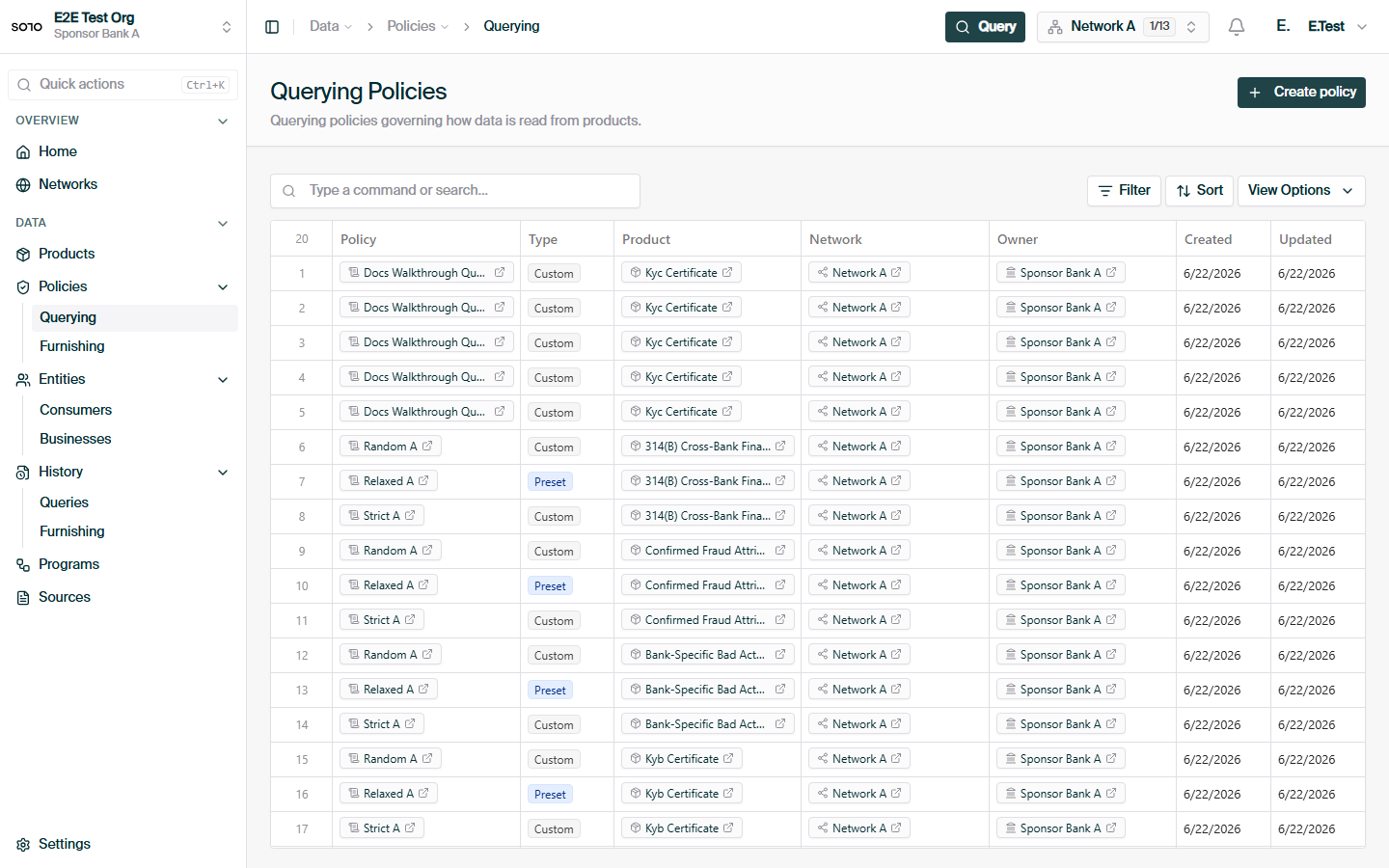
# Querying Policies
> Field-by-field read rules that bind a product to a network
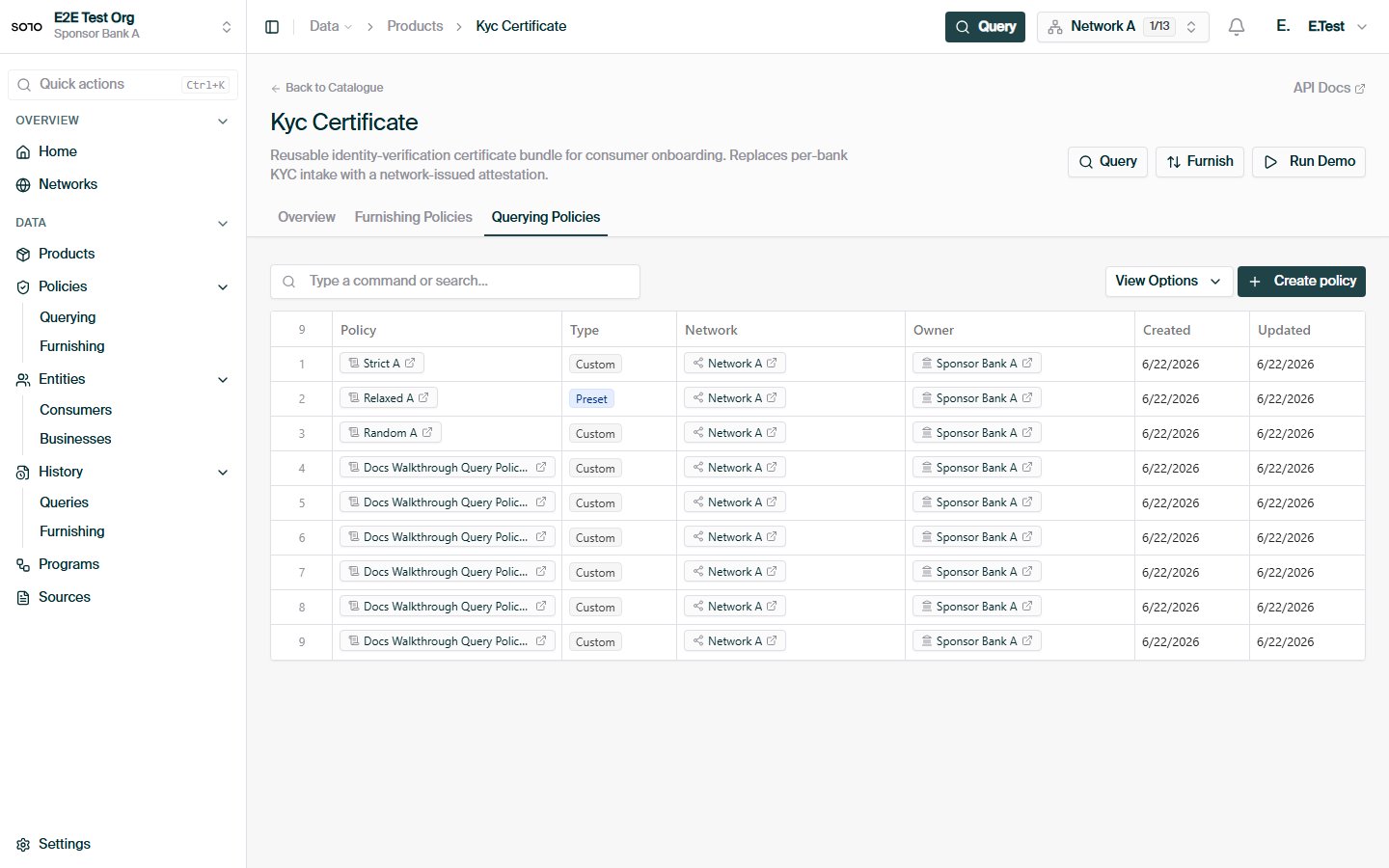
A **querying policy** is the set of read rules a
[network](/concepts/governance/networks) applies to a
[product](/api-overview/querying/products). It binds the product to the network and
defines, field by field, what queriers may read — and from which sources.
The same product can be configured differently in different networks. Querying
policies are how a network tailors a shared product schema to its own
agreements: expose these fields, suppress those, prefer this furnisher's data
over that one's.
```mermaid theme={null}
flowchart LR
Prod[Product] --- NP[Network-product association]
Net[Network] --- NP
NP --- Pol[Querying policy]
Pol --> Models[Per-model selections]
Models --> Fields[Per-field rules:
enabled, choice, provenance order]
```
Querying policies govern *reads*. The write-side counterpart — how furnished
data is accepted, validated, and routed — is the
[furnishing policy](/concepts/governance/furnishing-policies).
## Why querying policies exist
Products define a standard schema — every KYC certificate has the same shape
everywhere. But networks have different agreements about what may be shared: a
closed consortium might expose document-verification outcomes that a broader
federation suppresses; one network might accept any furnisher's biometric data
while another only trusts a named source. Querying policies let a network:
* expose only the fields appropriate for its participants,
* rank which **sources** (provenances) a field may be answered from, in order
of preference,
* keep read rules explicit, versionable, and auditable, and
* evolve those rules without changing the underlying product or any
integration code — queriers keep calling the same endpoint.
Because the policy hangs off the product-network association rather than the
product itself, the same product can run under strict rules in one network and
permissive rules in a sibling network, simultaneously.
## What a policy contains
A querying policy hangs off the **network-product association** (the pairing of
one product with one network) and carries:
| Attribute | Meaning |
| ------------ | ------------------------------------------------------------------------- |
| `name` | Display name, unique per product-network pairing for its author. |
| `is_default` | Whether this is the policy used when a query doesn't name one explicitly. |
| `enforced` | Whether the policy's selections are applied to reads. |
| `status` | Lifecycle state: `draft`, `published`, or `archived`. |
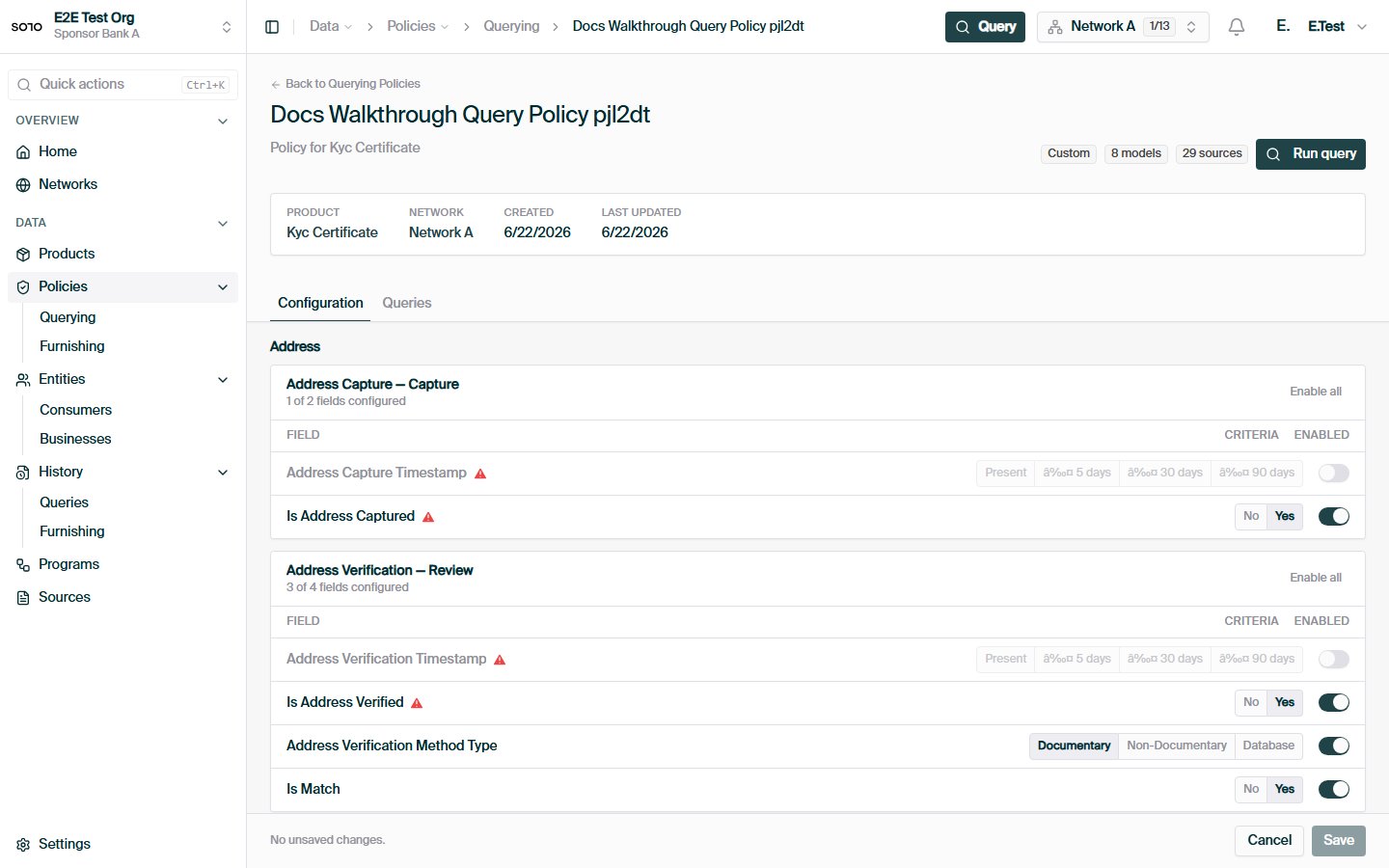
Beneath the policy sit **per-model selections** — one for each product model
the policy has an opinion about — and beneath those, **per-field rules**:
* **`is_enabled`** — whether the field may be read at all under this policy.
* **`boolean_choice`** — for fields with a constrained choice, which value the
policy requires.
* **`selected_provenance_option_ids`** — an *ordered* list of acceptable data
sources for the field. Order matters: the first option is tried first, and
later options are lower priority.
A model with no selections is explicitly excluded from provenance
customization; a model the policy doesn't mention at all falls back to the
product's defaults.
## Lifecycle
Policies carry a `status` of `draft`, `published`, or `archived`. New revisions
are authored as drafts (the dashboard's version wizard works this way); saving
a configuration through the API leaves the policy in `published` status, at
which point it governs live queries. Archived policies are retained for audit
but no longer selectable.
Saving a configuration **replaces** the policy's per-model and per-field
selections with the submitted set — it is not a patch. Always submit the
complete intended configuration.
## Creating a policy
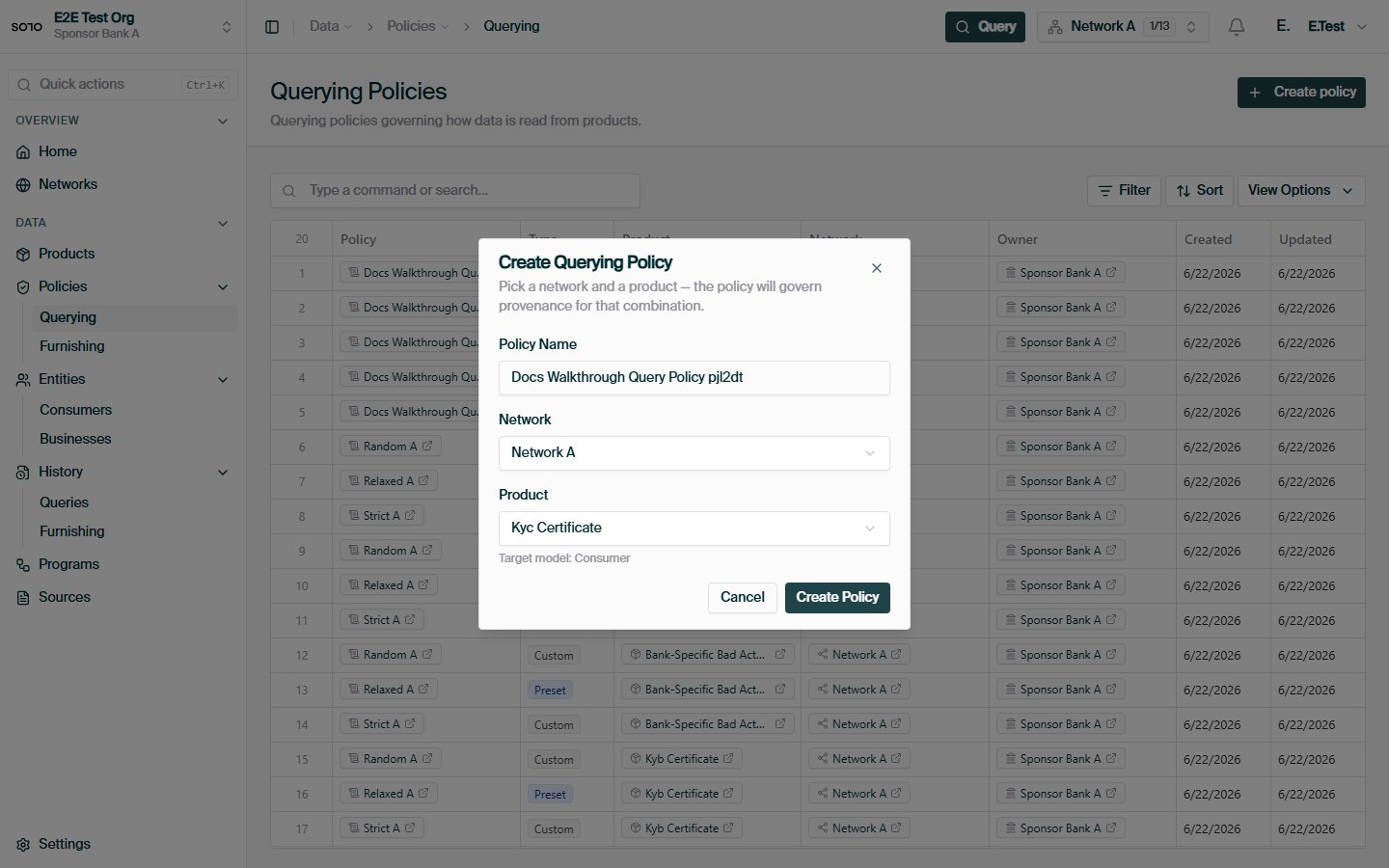
Creating a querying policy is a two-step flow: create the policy shell, then
configure its field selections.
### Step 1 — create
`POST /v1/networks/policies/querying` with the product, the network, and a
name. The server resolves the product-network association — creating it if it
doesn't exist yet — and returns the new policy.
```bash theme={null}
curl -X POST https://api.solo.one/v1/networks/policies/querying \
-H "Authorization: Bearer $SOLO_TOKEN" \
-H "Content-Type: application/json" \
-d '{
"product_id": "1b9a4c33-…",
"network_id": "9f1c0c2e-…",
"name": "Coastal KYC — standard read"
}'
```
```json theme={null}
{
"id": "5e7d2a14-…",
"network_product_id": "c4f8e6d1-…",
"entity_id": "7c2d91e4-…",
"name": "Coastal KYC — standard read",
"is_default": false
}
```
### Step 2 — configure fields
`PUT /v1/networks/policies/querying/{policy_id}/configuration` with the full
set of per-model, per-field selections:
```bash theme={null}
curl -X PUT https://api.solo.one/v1/networks/policies/querying/5e7d2a14-…/configuration \
-H "Authorization: Bearer $SOLO_TOKEN" \
-H "Content-Type: application/json" \
-d '{
"model_selections": [
{
"product_model_definition_id": "0a1b2c3d-…",
"field_selections": [
{
"product_field_definition_id": "e5f6a7b8-…",
"is_enabled": true,
"boolean_choice": null,
"selected_provenance_option_ids": ["11aa22bb-…", "33cc44dd-…"]
},
{
"product_field_definition_id": "f9e8d7c6-…",
"is_enabled": false,
"boolean_choice": null,
"selected_provenance_option_ids": []
}
]
}
]
}'
```
```json theme={null}
{
"id": "5e7d2a14-…",
"name": "Coastal KYC — standard read",
"status": "published"
}
```
You can optionally include a `"name"` in the configuration body to rename the
policy in the same call.
Policy authoring is a [governor](/concepts/governance/network-roles)
responsibility. Queriers consume policies; they don't write them.
## How a query selects a policy
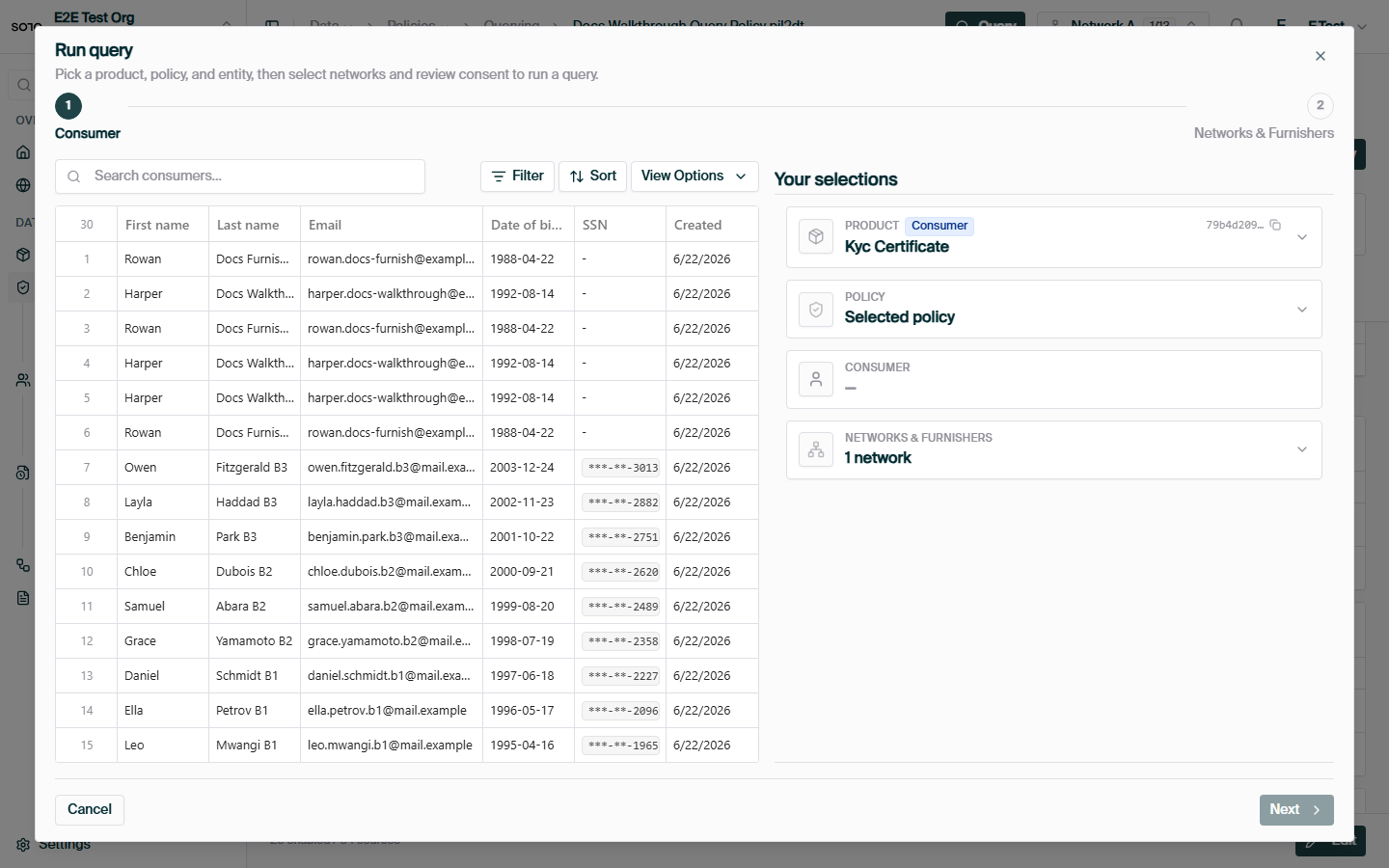
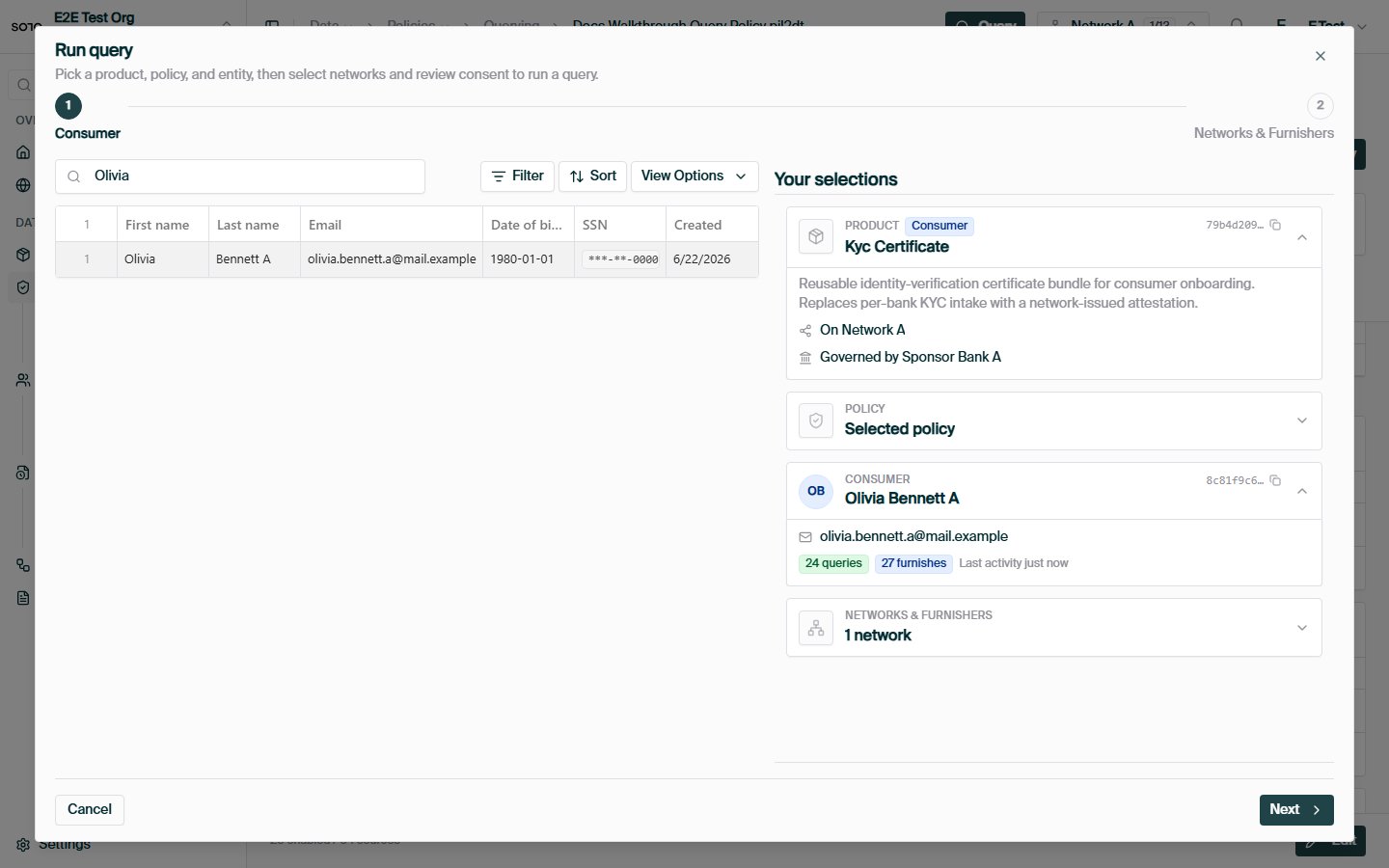
When you [query a product](/api-overview/querying/overview), the request body
carries the network scope and, optionally, the policy:
```bash theme={null}
curl -X POST https://api.solo.one/v1/products/kyc_certificate/query \
-H "Authorization: Bearer $SOLO_TOKEN" \
-H "Content-Type: application/json" \
-d '{
"consent_id": "a3f0b9c7-…",
"network_ids": ["9f1c0c2e-…"],
"policy_id": "5e7d2a14-…"
}'
```
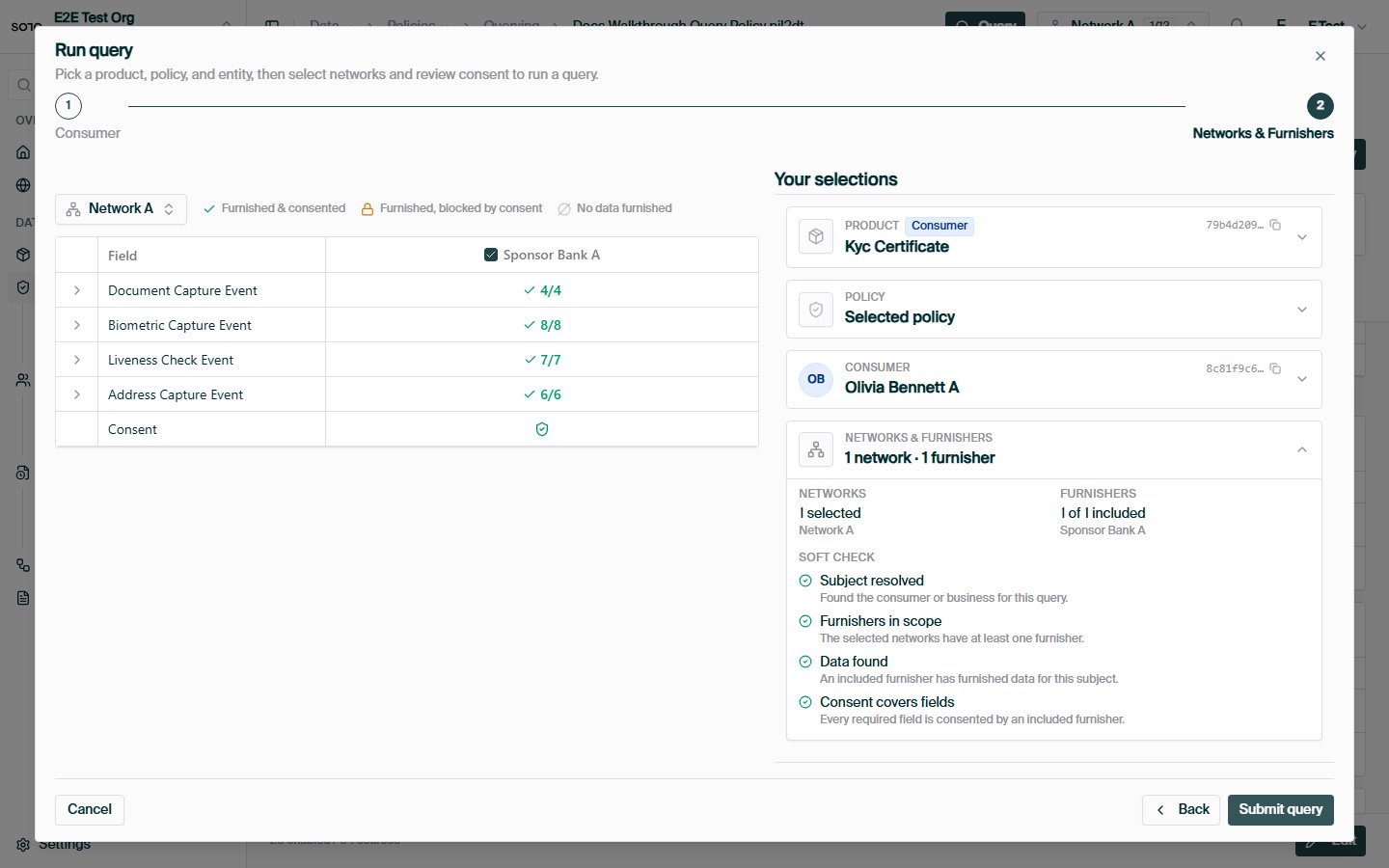
* **`network_ids`** (required) — one or more networks to read across.
* **`policy_id`** (optional) — the querying policy to apply. The single policy
is applied across every network in `network_ids`. **If omitted, each
network's default policy** (`is_default: true`) **is used.**
The response echoes the resolution per network, so you always know which
rules shaped each result:
```json theme={null}
{
"results": [
{ "meta": { "network_id": "9f1c0c2e-…", "policy_id": "5e7d2a14-…" }, "…": "…" }
]
}
```
### Resolution and audit stamping
Every query event is stamped with the querying policy that governed it, so
results are auditable after the fact. Resolution works through a fixed
fallback chain:
1. the policy id **explicitly stamped** on the query event;
2. failing that, a policy id found in the **request or response payload**;
3. failing that, the policy referenced by **certificates linked** to the query;
4. failing that, the **network's default policy** — matched first against the
querying entity's own policies, then against the network governor's.
As a caller you only ever interact with step 1 (pass `policy_id`) or step 4
(omit it and rely on the default). Steps 2–3 are how SOLO back-fills the audit
trail for historical events.
If your network has exactly one published policy per product and it's marked
default, queriers can omit `policy_id` entirely and always get the right
rules. Reserve explicit `policy_id` for networks that run multiple read
profiles side by side.
### Querying across multiple networks
`network_ids` accepts more than one network, and the listed `policy_id` (or
each network's default) is applied across all of them. Two things to keep in
mind when fanning a query out:
* **Authorization is per network.** Each network in the list is checked
independently against your memberships and the
[governance rules](/concepts/governance/network-governance). A network you
can't scope to fails the query with an authorization error rather than being
silently dropped.
* **The policy still only caps; it doesn't fetch.** Adding networks widens
where SOLO looks, but [entitlement](/concepts/governance/entitlement) still
filters every record to what you've earned, regardless of how many networks
the query touches.
## The policy is a ceiling, not a grant
A querying policy defines what the product **may** expose in the network — for
anyone. What *you* get back is further narrowed by
[entitlement](/concepts/governance/entitlement):
| Question | Answered by |
| -------------------------------------------------------------- | ------------------- |
| *What may be read from this network, at most?* | **Querying policy** |
| *What may* ***I*** *read, given my history with this subject?* | **Entitlement** |
A query returns the **intersection**: fields the policy permits **and** records
you are entitled to. Enabling a field in the policy does not push data to
anyone who hasn't earned it; disabling a field hides it even from participants
who furnished it through this product in this network.
## Errors you may encounter
All errors use the standard envelope (see [Errors](/home/errors)):
```json theme={null}
{ "detail": "…", "error_code": "…" }
```
| Situation | Status / code |
| --------------------------------------------------------------------- | ------------------------------------ |
| Configuration references an unknown `policy_id` | `404` `RESOURCE_NOT_FOUND` |
| Creating a duplicate policy (same product-network pairing, same name) | `409` `RESOURCE_CONFLICT` |
| Malformed selection payload (missing field, bad UUID) | `422` (short shape, no `error_code`) |
| Querying a network you can't scope to | `403` `PERMISSION_DENIED` |
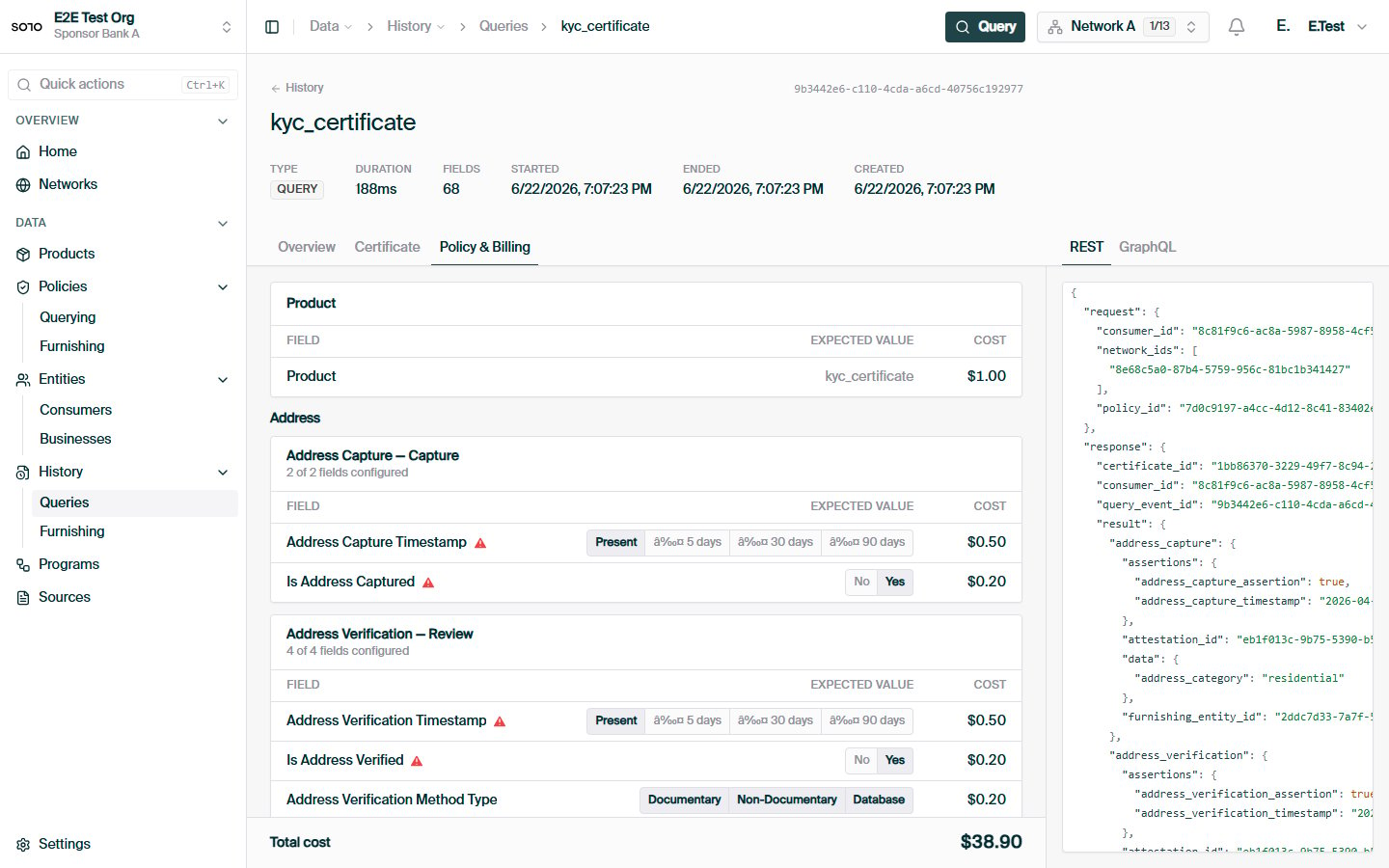
## In the dashboard
 ## Related concepts
The write-side counterpart: how data gets into the network.
The per-participant layer that narrows what a policy exposes.
How policies plug into a product query.
The boundary policies are scoped to.
## Related concepts
The write-side counterpart: how data gets into the network.
The per-participant layer that narrows what a policy exposes.
How policies plug into a product query.
The boundary policies are scoped to.